
Superadmin Dashboard
Monitor administrators, users, vehicles, licenses, platform growth, vehicle status, transactions, and recent system activity from one centralized dashboard.
Last updated August 18, 2026
Superadmin Dashboard
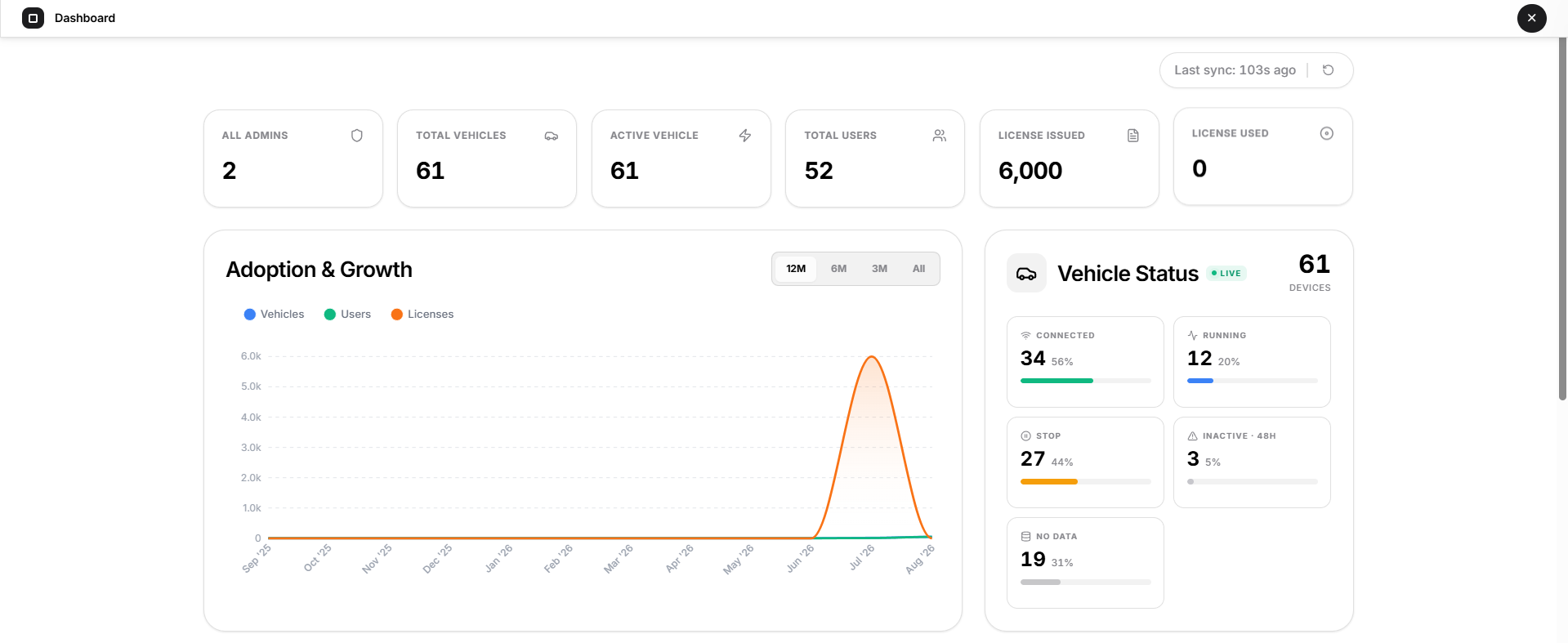
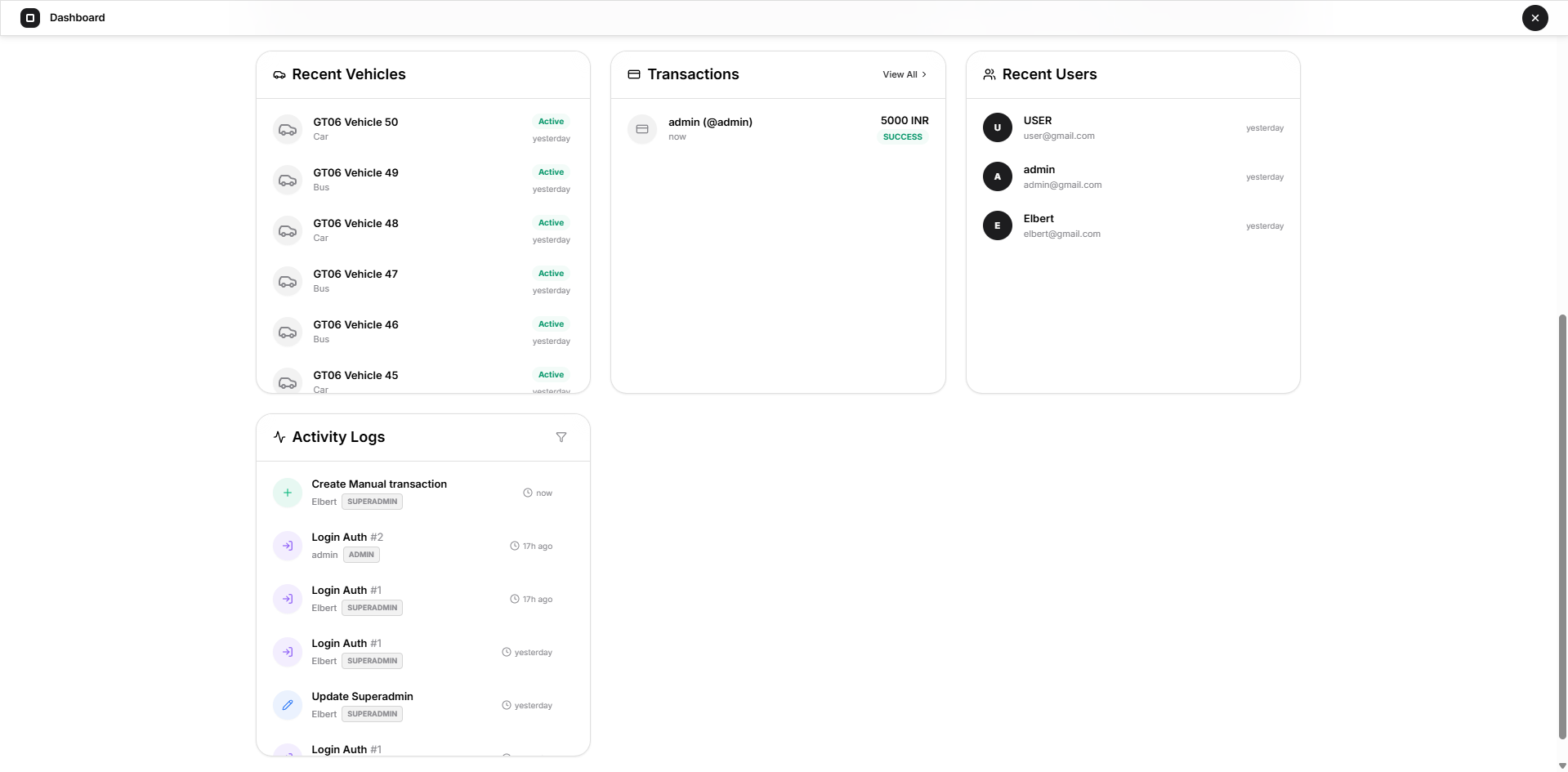
The Superadmin Dashboard provides a centralized overview of the entire Open VTS platform.
It is designed to help the Superadmin quickly understand the current state of the platform without opening each management section individually. From this page, you can monitor platform usage, vehicle activity, recent additions, transactions, and administrative activity.
The information on this page is primarily intended for monitoring and quick visibility. Detailed management is performed from the corresponding sections of the Superadmin panel.
1. Platform Summary
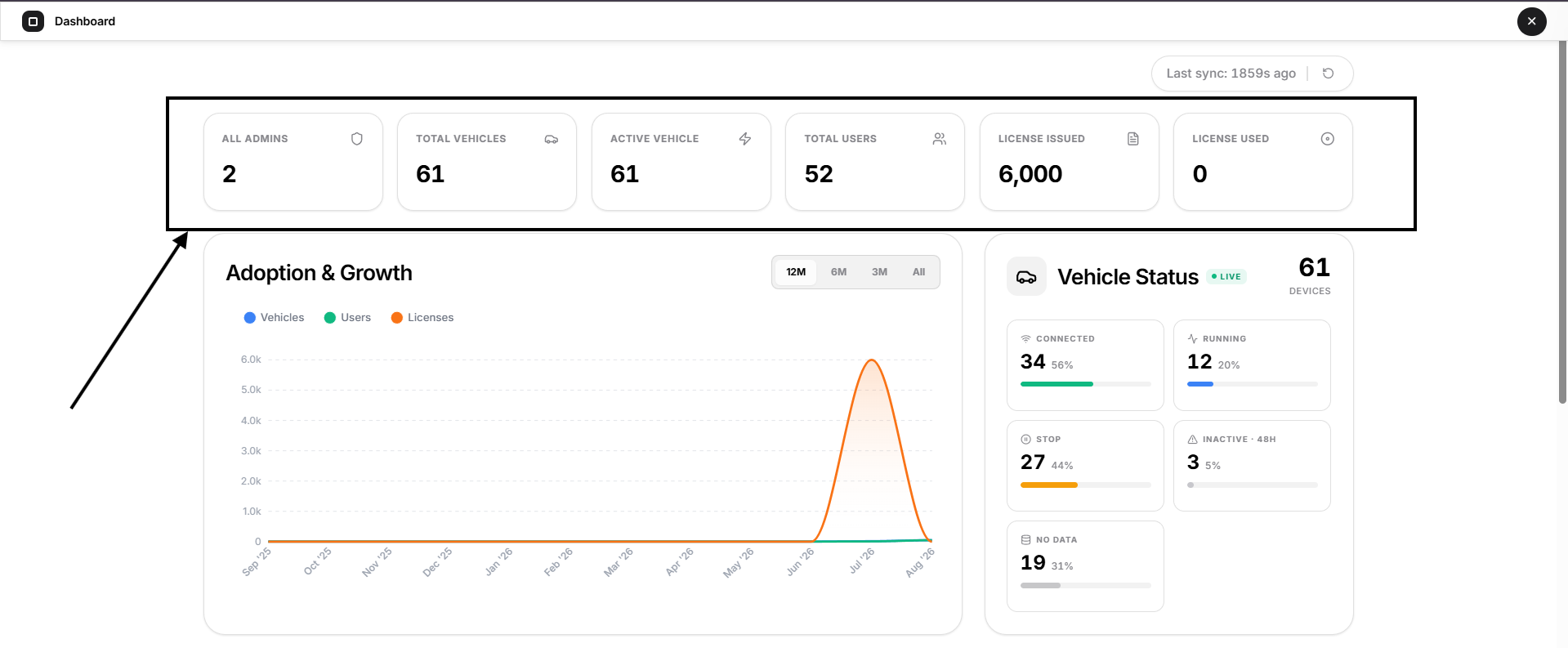
At the top of the Dashboard, Open VTS displays a set of summary cards showing important platform-wide statistics.
All Admins
Shows the total number of Administrator accounts currently available in the platform.
For detailed Administrator management, use the Administrators section.
Total Vehicles
Shows the total number of vehicles registered across the platform.
This includes vehicles managed under the available Administrator accounts.
Active Vehicle
Shows the number of vehicles currently considered active by the platform.
This provides a quick indication of how many registered vehicles are currently active within Open VTS.
Total Users
Shows the total number of User accounts created across the platform.
License Issued
Shows the total number of license units issued within the platform.
License Used
Shows the number of issued license units that have been used.
These two cards help the Superadmin monitor overall license allocation and consumption.
2. Last Sync
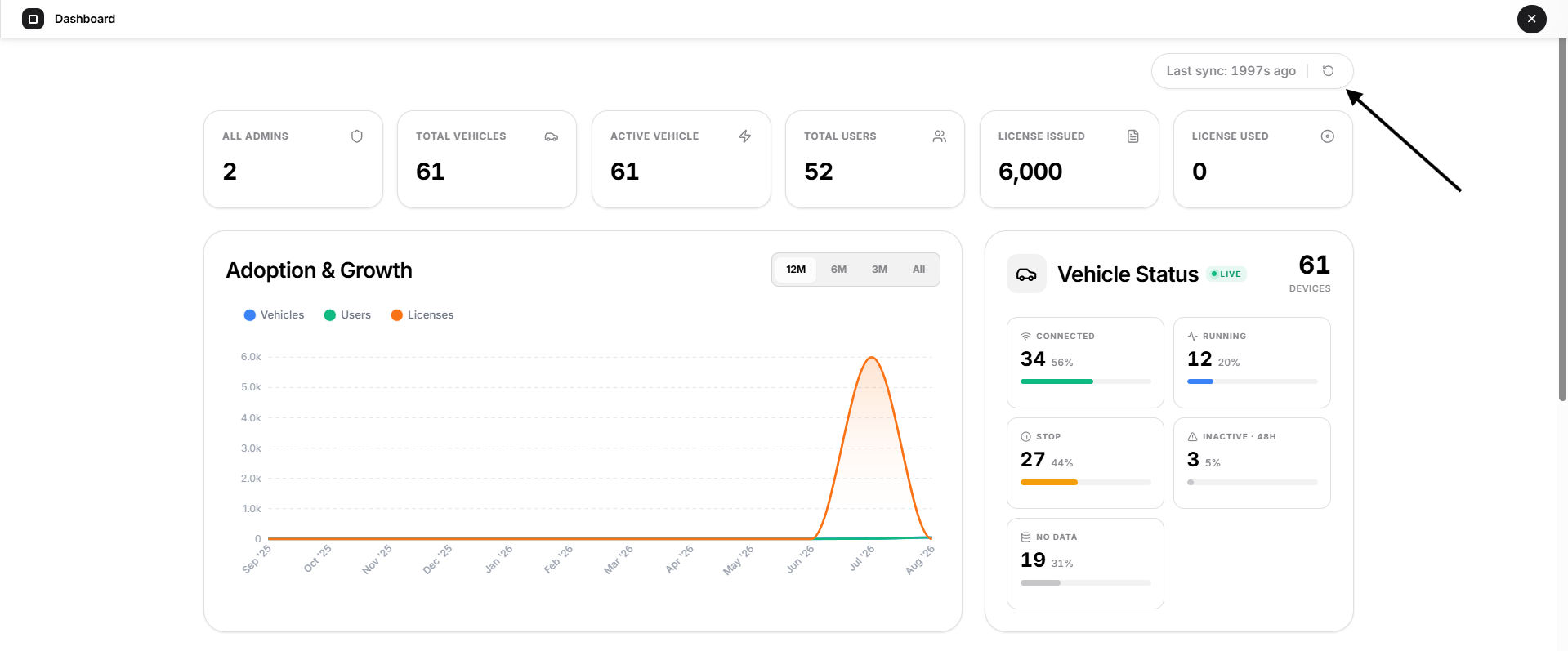
The Last Sync indicator appears at the upper-right side of the Dashboard.
It shows how recently the Dashboard information was synchronized with the latest platform data.
For example:
Last sync: 8323s ago
This helps confirm that the statistics being displayed are recent.
3. Adoption & Growth
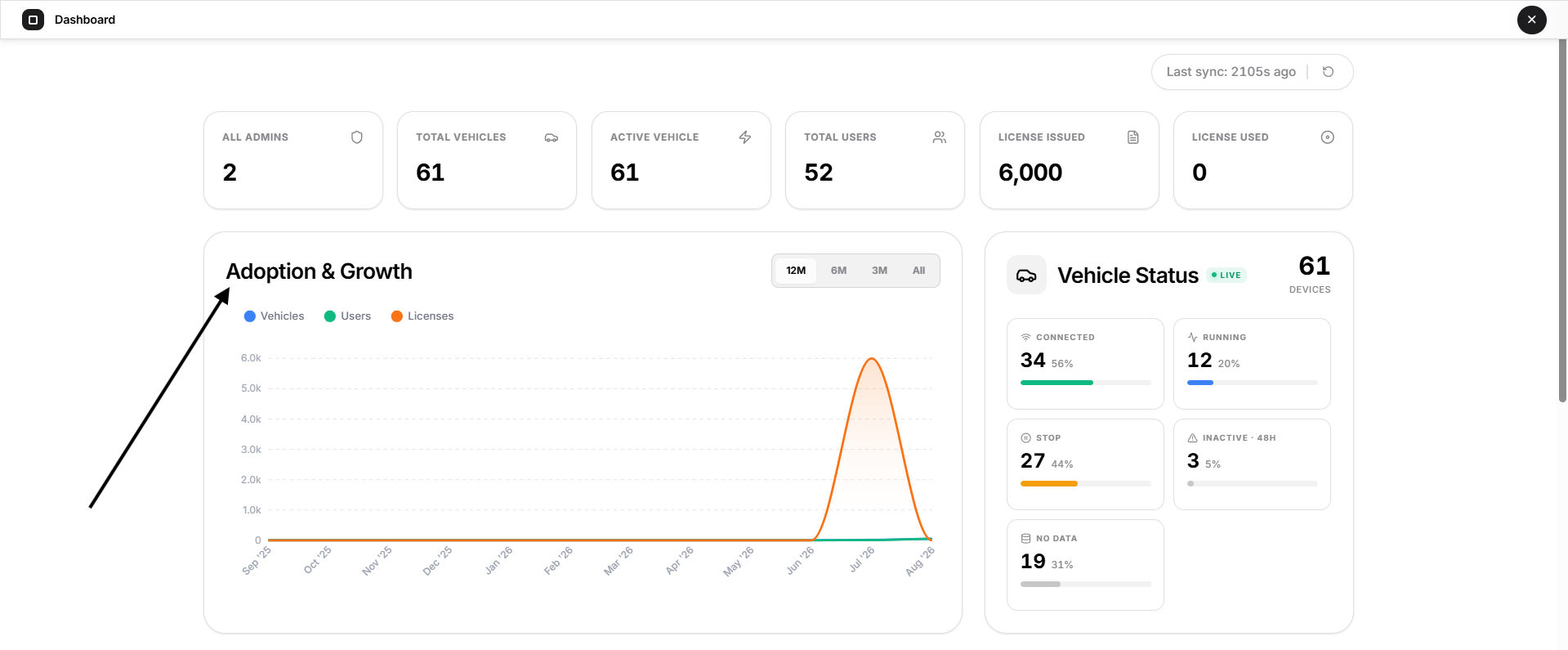
The Adoption & Growth chart provides a graphical view of how the platform has grown over time.
The chart can display trends for:
- Vehicles
- Users
- Licenses
Each metric is represented separately so that the Superadmin can understand changes in platform adoption over the selected period.
Time Range
Use the available time-range controls to change the period displayed on the chart, such as:
- 12M
- 6M
- 3M
- All
This makes it easier to compare short-term activity with longer-term platform growth.
What this section is useful for
The chart can help identify:
- Increase in registered vehicles
- Growth in platform users
- License issuance trends
- Periods of increased platform adoption
- Overall long-term platform growth
4. Vehicle Status
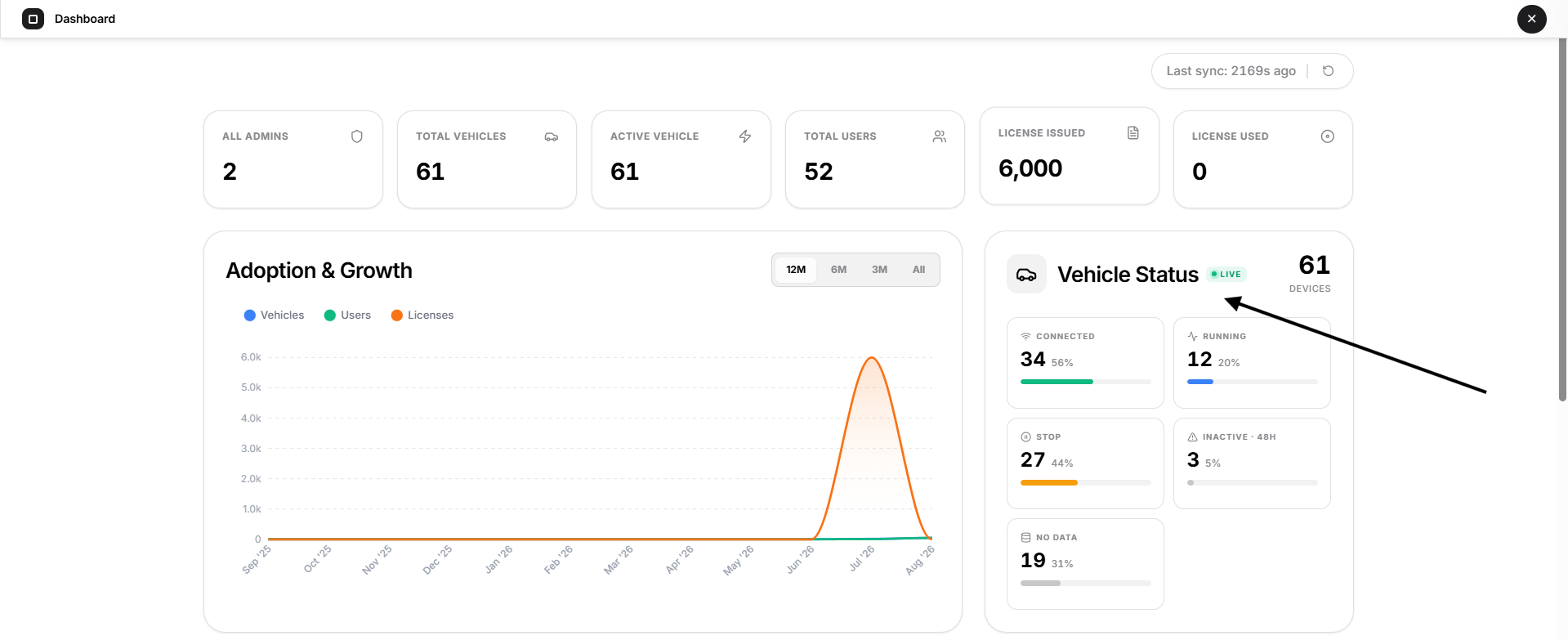
The Vehicle Status panel provides a quick operational overview of vehicles within the platform.
The total number of devices/vehicles represented by the panel is displayed at the top.
The status categories shown may include:
Connected
Shows vehicles/devices currently connected to the tracking platform.
Running
Shows vehicles currently detected as running.
Stop
Shows vehicles currently detected as stopped.
Inactive
Shows vehicles that have remained inactive beyond the platform's inactivity period, such as the 48-hour threshold displayed by the Dashboard.
No Data
Shows vehicles for which tracking data is currently unavailable.
Each status displays both a count and a percentage to help the Superadmin understand the overall fleet distribution.
Note: Vehicle status changes dynamically as new tracking data is received.
5. Recent Vehicles
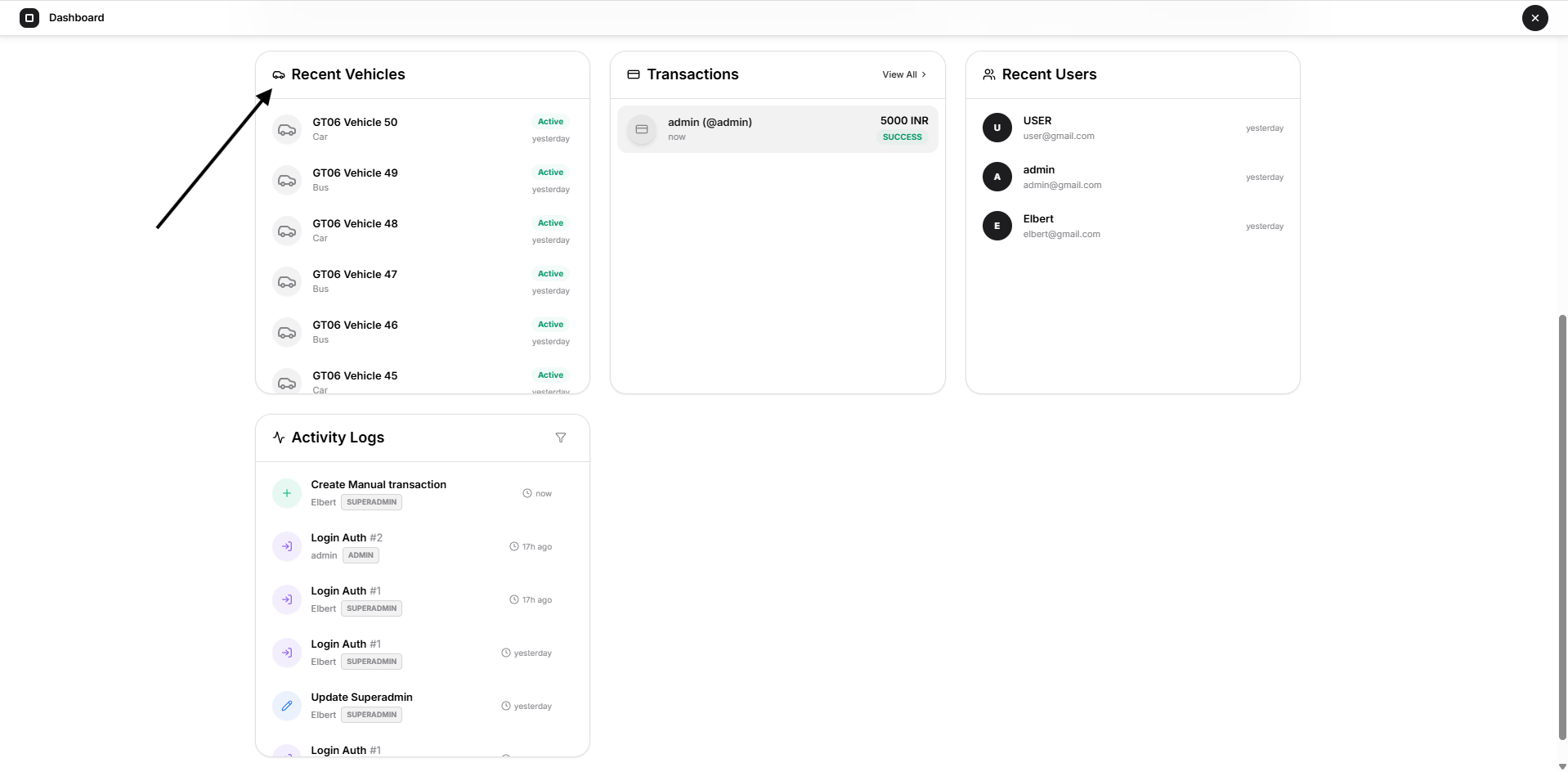
The Recent Vehicles section displays vehicles that were recently added or updated within the platform.
Each entry can show information such as:
- Vehicle name or registration
- Vehicle type
- Current status
- How recently the activity occurred
This section allows the Superadmin to quickly review recent vehicle-related activity without opening the full Vehicles page.
6. Transactions
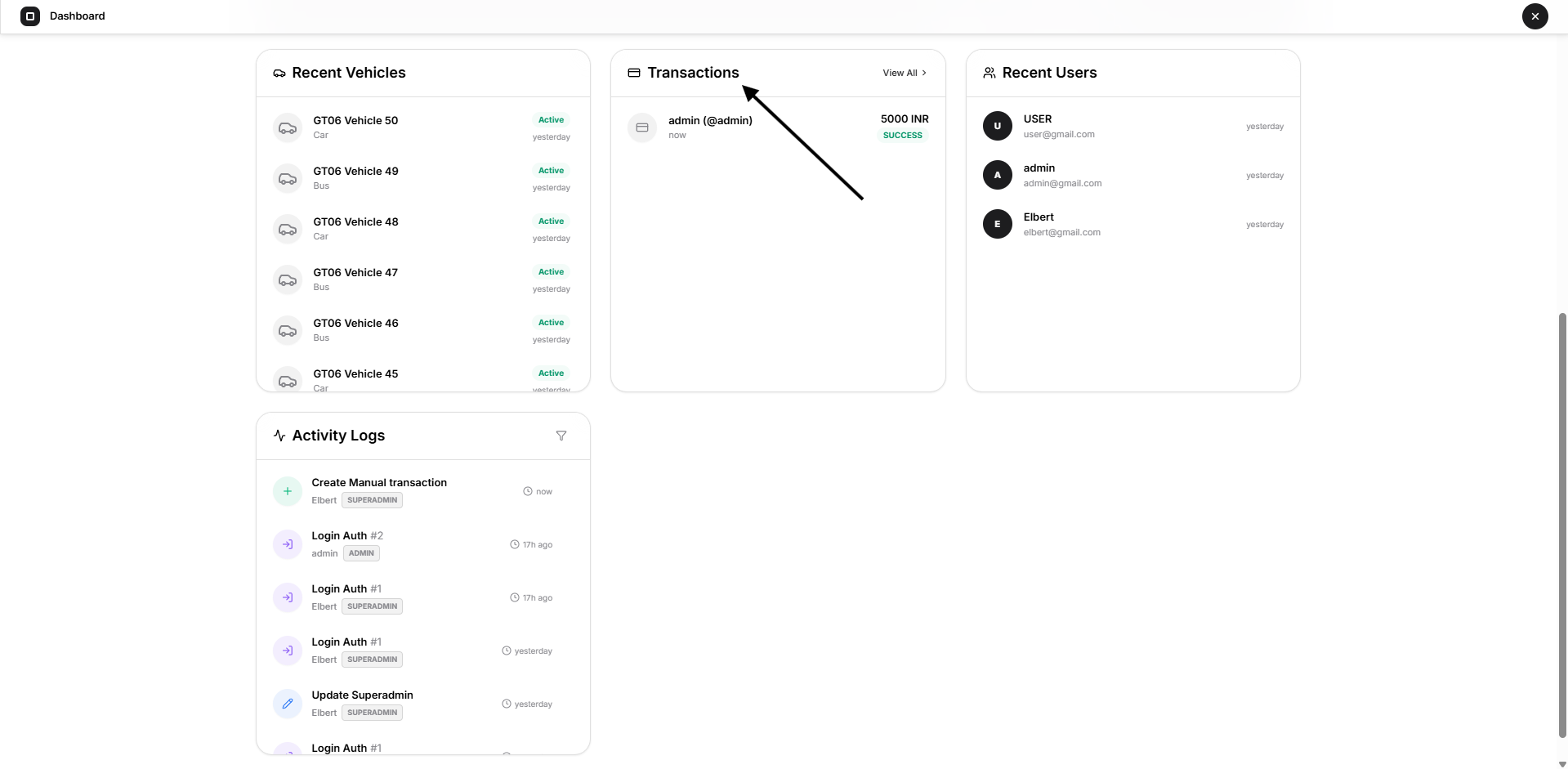
The Transactions section provides a quick view of recent payment or transaction activity recorded in Open VTS.
Depending on the available transaction data, an entry may display information such as:
- Administrator or organization
- Transaction date
- Transaction status
- Related payment information
View All
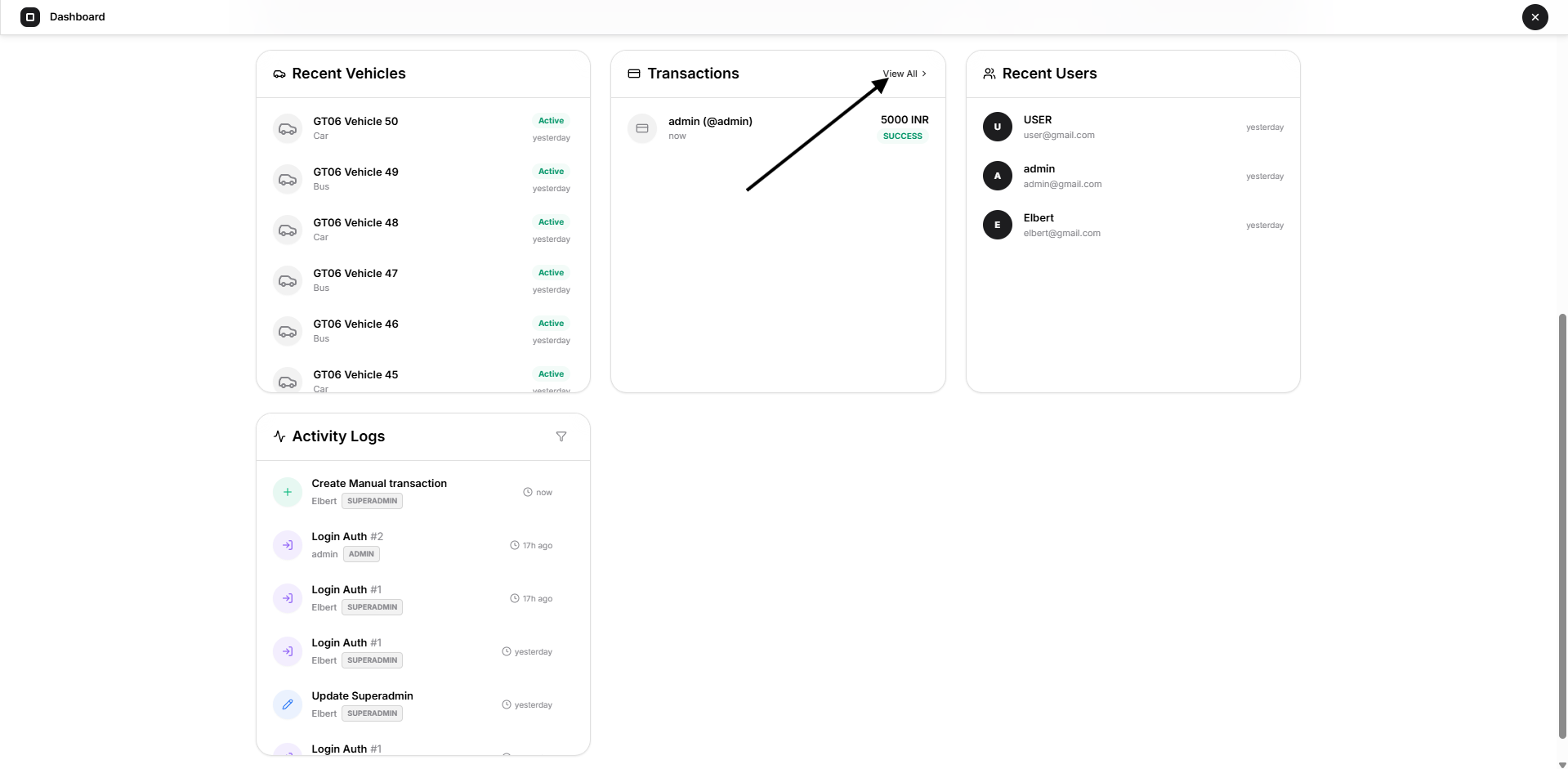
Select View All to open the detailed transaction or payment records when available.
For complete payment management, use the Payments section of the Superadmin panel.
7. Recent Users
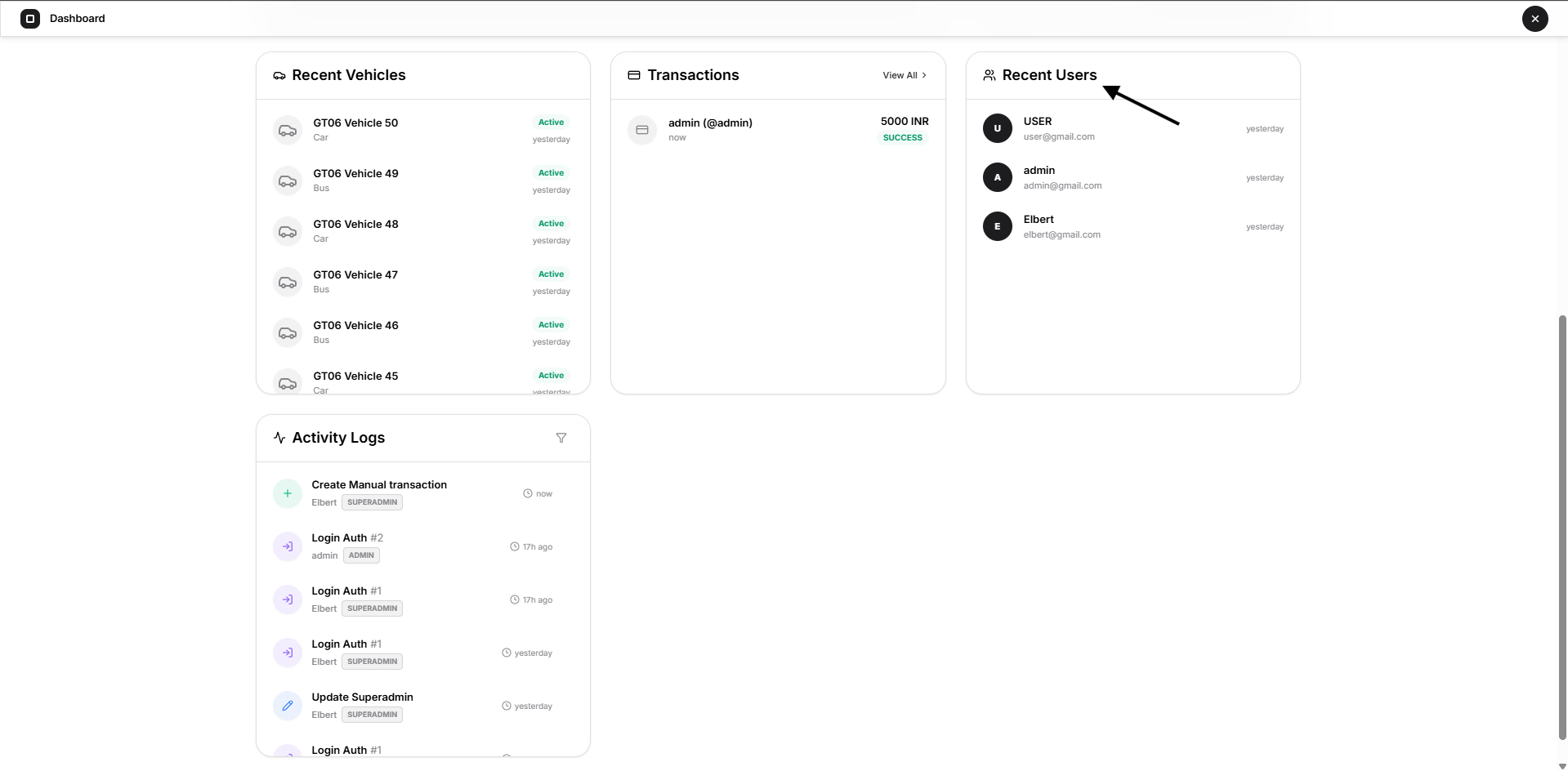
The Recent Users panel displays User accounts that were recently created or added to the platform.
Each entry may show:
- User or organization name
- Email address
- How recently the user was added
This gives the Superadmin quick visibility into recent user growth and account creation activity.
8. Activity Logs
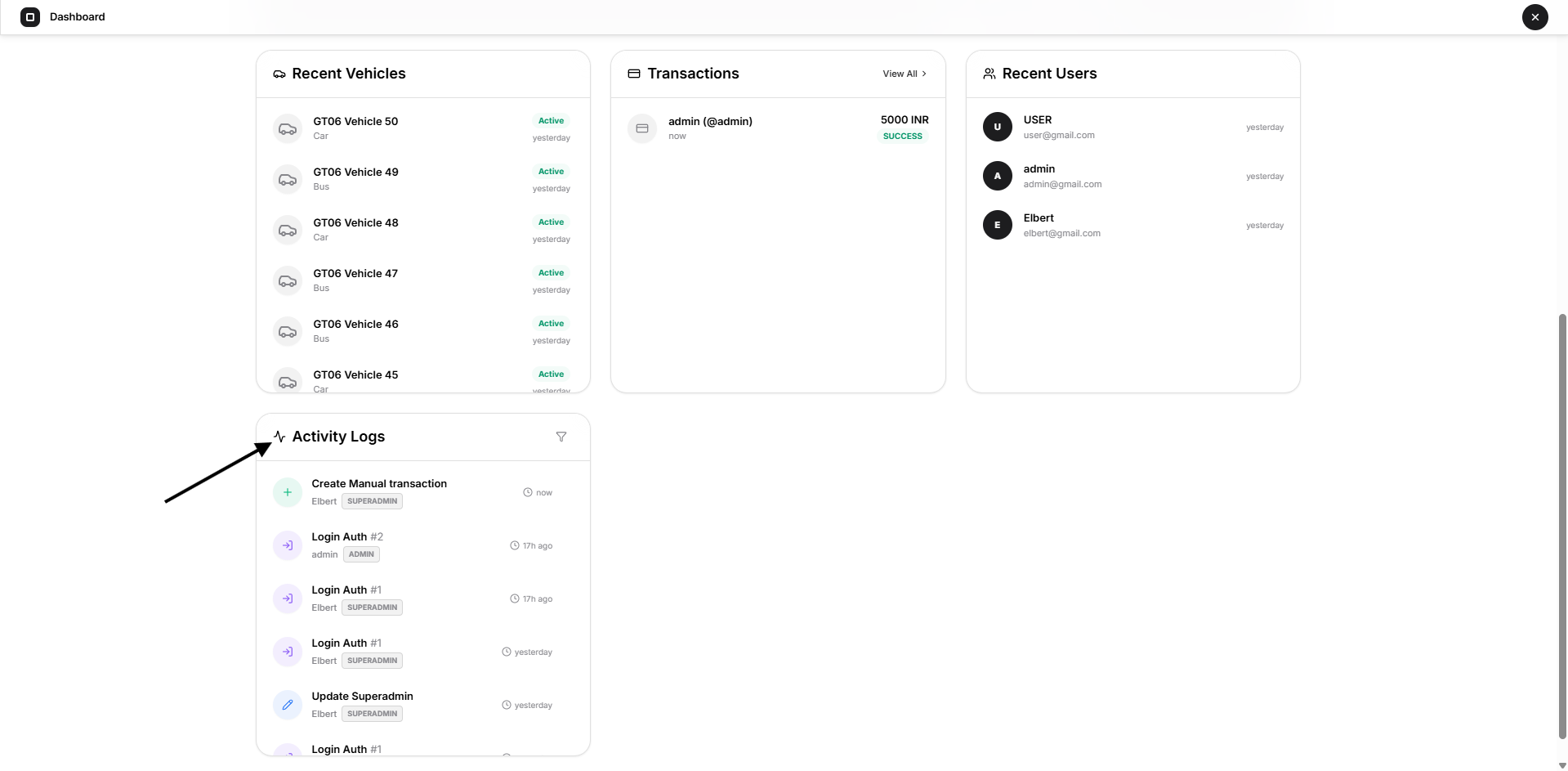
The Activity Logs section displays recent actions performed within the platform.
Examples may include actions such as:
- Creating records
- Updating records
- Linking vehicles
- Login-related actions
- Deleting records
- Other administrative operations
Each log entry can show information such as:
- Action performed
- Related account or entity
- Role that performed the action
- Time of the activity
The Activity Logs provide a quick audit view of recent platform operations.
For deeper investigation, use the corresponding detailed activity or logging section where available.
9. How to Use the Dashboard
The Dashboard is intended to be the Superadmin's platform monitoring starting point.
A typical workflow is:
- Review the top summary cards for administrators, users, vehicles, and licenses.
- Check Vehicle Status for operational vehicle conditions.
- Review Adoption & Growth to understand platform usage trends.
- Check Recent Vehicles and Recent Users for newly added records.
- Review Transactions for recent payment activity.
- Review Activity Logs for recent administrative actions.
- Open the corresponding Superadmin section whenever detailed investigation or management is required.
Important to Know
The values displayed on the Dashboard are dynamic and change as administrators, users, vehicles, licenses, transactions, and system activities change.
The Dashboard should therefore be used as a high-level monitoring and overview page, while detailed operations such as creating Administrators, managing Vehicles, assigning credits, reviewing Payments, or changing system configuration should be performed from their respective Superadmin modules.