
Create Plans
The Plans section allows administrators to create and manage pricing plans used for vehicle subscriptions. Each plan defines the subscription duration, price, and currency that can later be assigned to vehicles.
Last updated August 19, 2026
Plans
The Plans page is where administrators configure the subscription plans used across their vehicles.
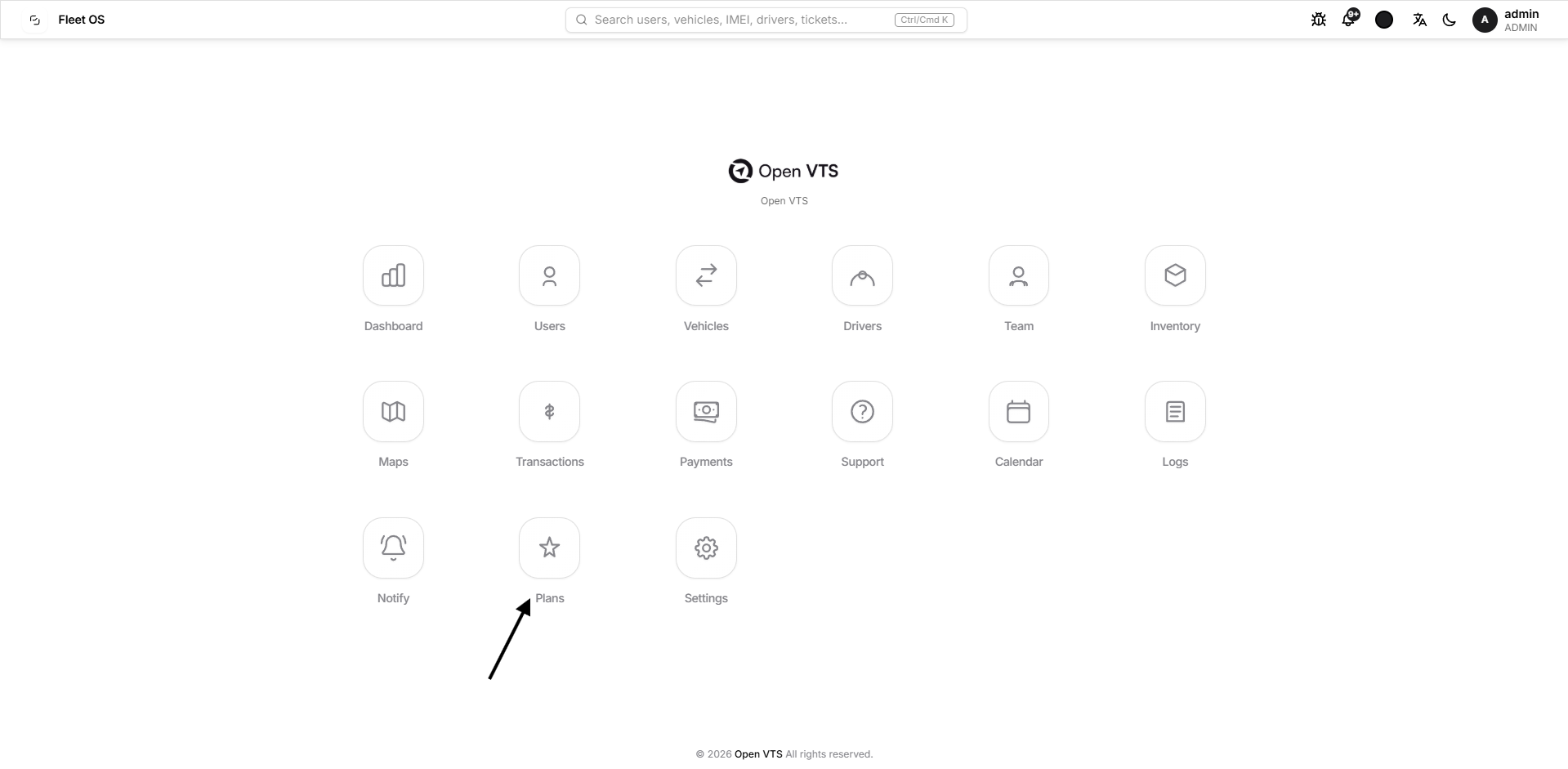
Each plan defines:
- Plan Name
- Subscription Duration
- Price
- Currency
Once a plan is created, it can be selected when adding vehicles and used during vehicle subscription renewal.
Plans List
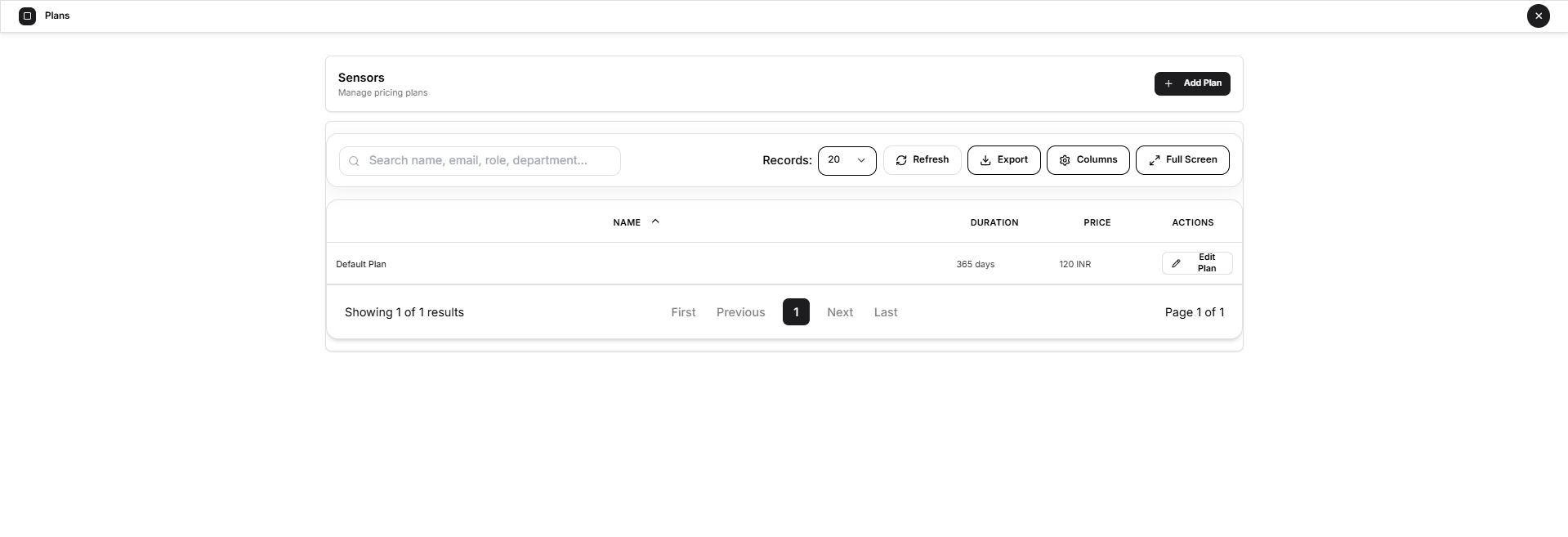
The main page displays all available plans in a table.
Each plan shows:
- Name — the plan name.
- Duration — how long the subscription remains valid.
- Price — the configured subscription price.
- Actions — provides access to edit the plan.
Administrators can also use the standard table controls to manage the list more efficiently.
Available Controls
- Search — find a specific plan.
- Records — choose how many plans are displayed per page.
- Refresh — reload the latest plan information.
- Export — export the displayed plan data.
- Columns — choose which table columns are visible.
- Full Screen — expand the table for easier viewing.
Add a New Plan
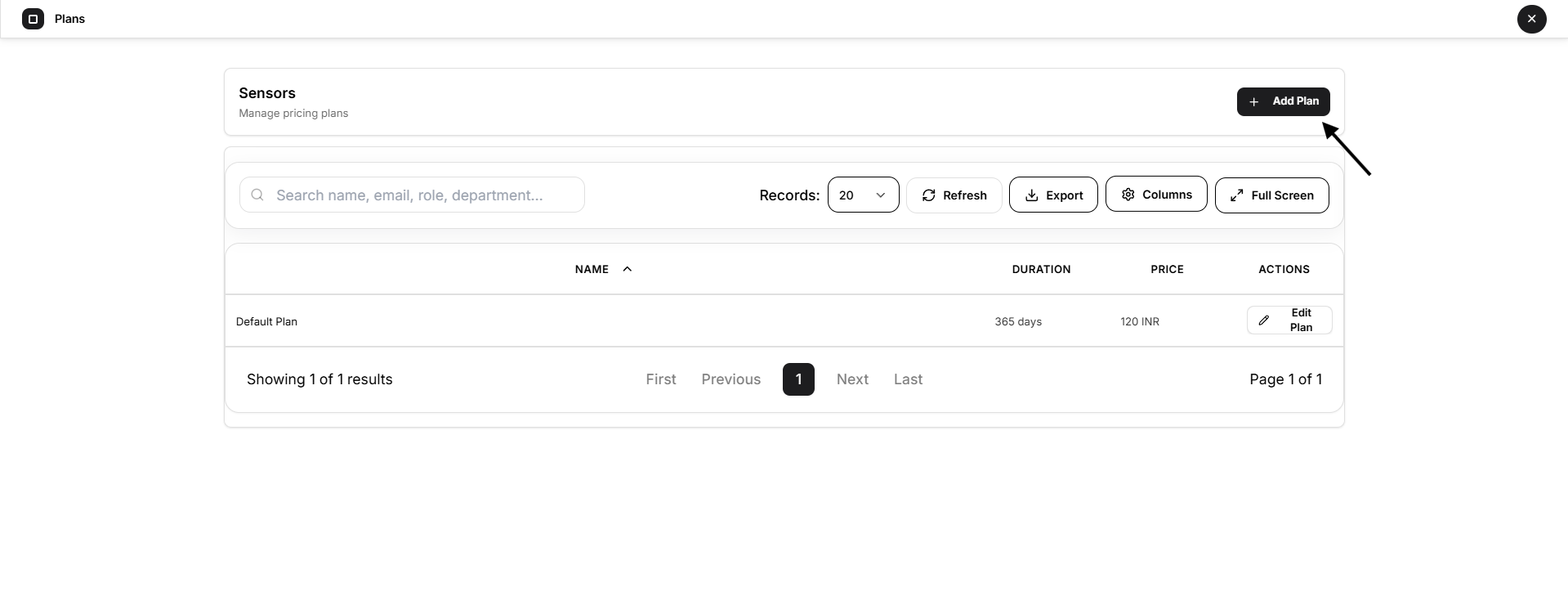
Select Add Plan to create a new subscription plan.
Complete the following fields:
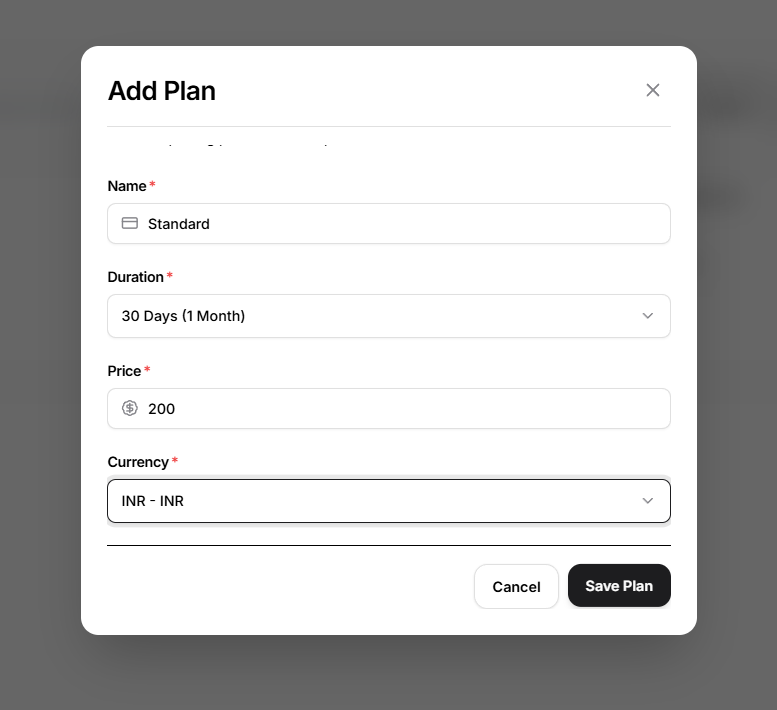
Name
Enter a clear name for the plan, such as:
Standard
Annual Plan
Premium
Duration
Select how long the plan should remain valid.
For example, a plan may be configured for 365 days / 1 year.
Price
Enter the subscription price for the plan.
Currency
Select the currency in which the plan will be charged.
After completing the required fields, select Save Plan.
The new plan becomes available for use with vehicle subscriptions.
Edit a Plan
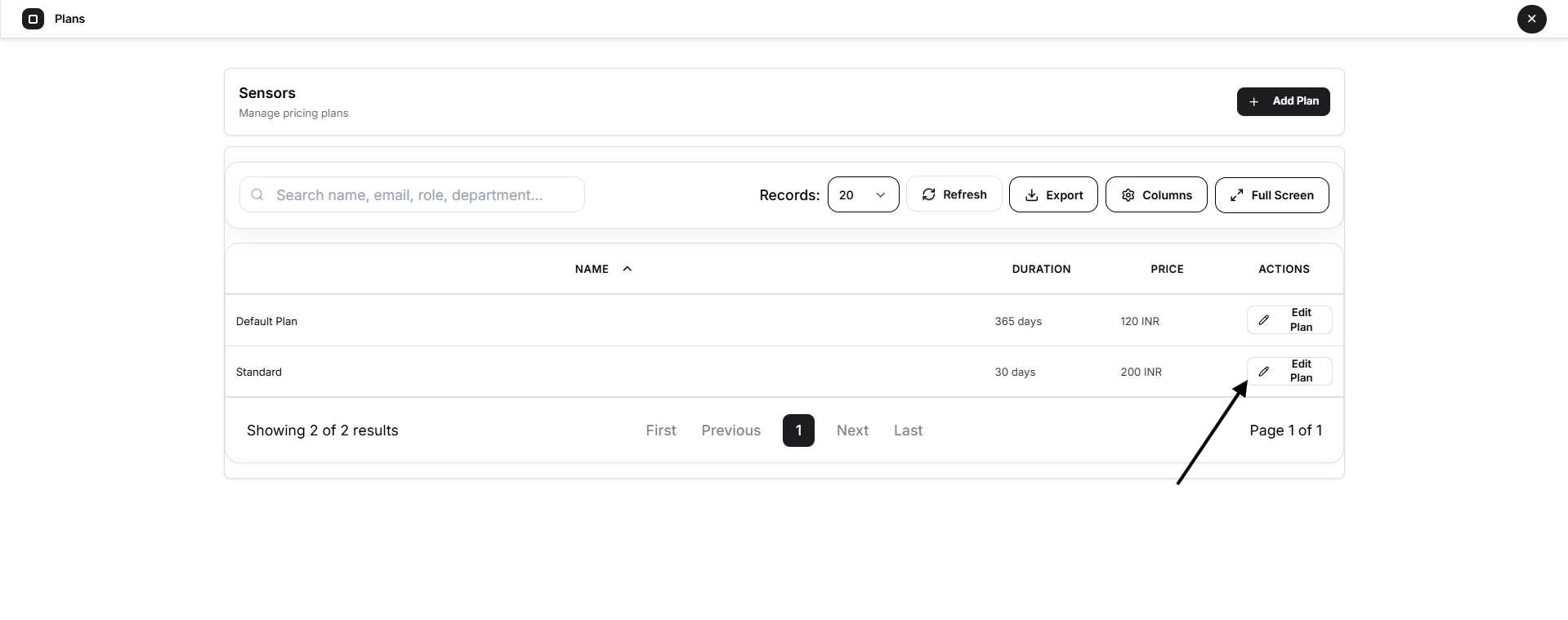
To update an existing plan:
- Locate the plan in the list.
- Select Edit Plan.
- Update the required information.
- Select Save Changes.
Administrators can modify:
- Plan name
- Duration
- Price
- Currency
Changes should be reviewed carefully because the plan may already be associated with vehicle subscriptions.
Plan Association with Vehicles
Plans are used when vehicles are created or renewed.
A vehicle subscription can reference a plan to determine:
- Subscription price
- Subscription duration
- Renewal period
- Billing currency
This keeps vehicle subscription management consistent across the administrator account.
Why Plans Cannot Be Deleted
Open VTS does not provide a Delete Plan option once plans can be associated with vehicles.
This prevents historical or existing vehicle subscriptions from losing the pricing-plan reference they depend on.
Administrators can therefore create and edit plans, but plans associated with vehicle subscription records are preserved rather than removed.
Key Takeaway
The Plans section provides the pricing foundation for vehicle subscriptions in Open VTS. Administrators create plans with a defined duration, price, and currency, then use those plans when adding or renewing vehicles. This keeps subscription pricing structured and consistent across the fleet.