
Introduction
Choosing GPS tracking software sounds simple at first.
You need a system to track vehicles, see live location, and manage your fleet. But once you start comparing options, you quickly realize that every platform looks similar from the outside.
Most of them promise live tracking, reports, alerts, and mobile access.
But the real question is not only, “Can this software track my vehicles?”
The better question is:
Can this software support my business today and still work when my fleet grows tomorrow?
The right GPS tracking software should help you monitor vehicles, improve routes, reduce manual follow-ups, control costs, protect assets, generate useful reports, and give your team confidence in daily operations.
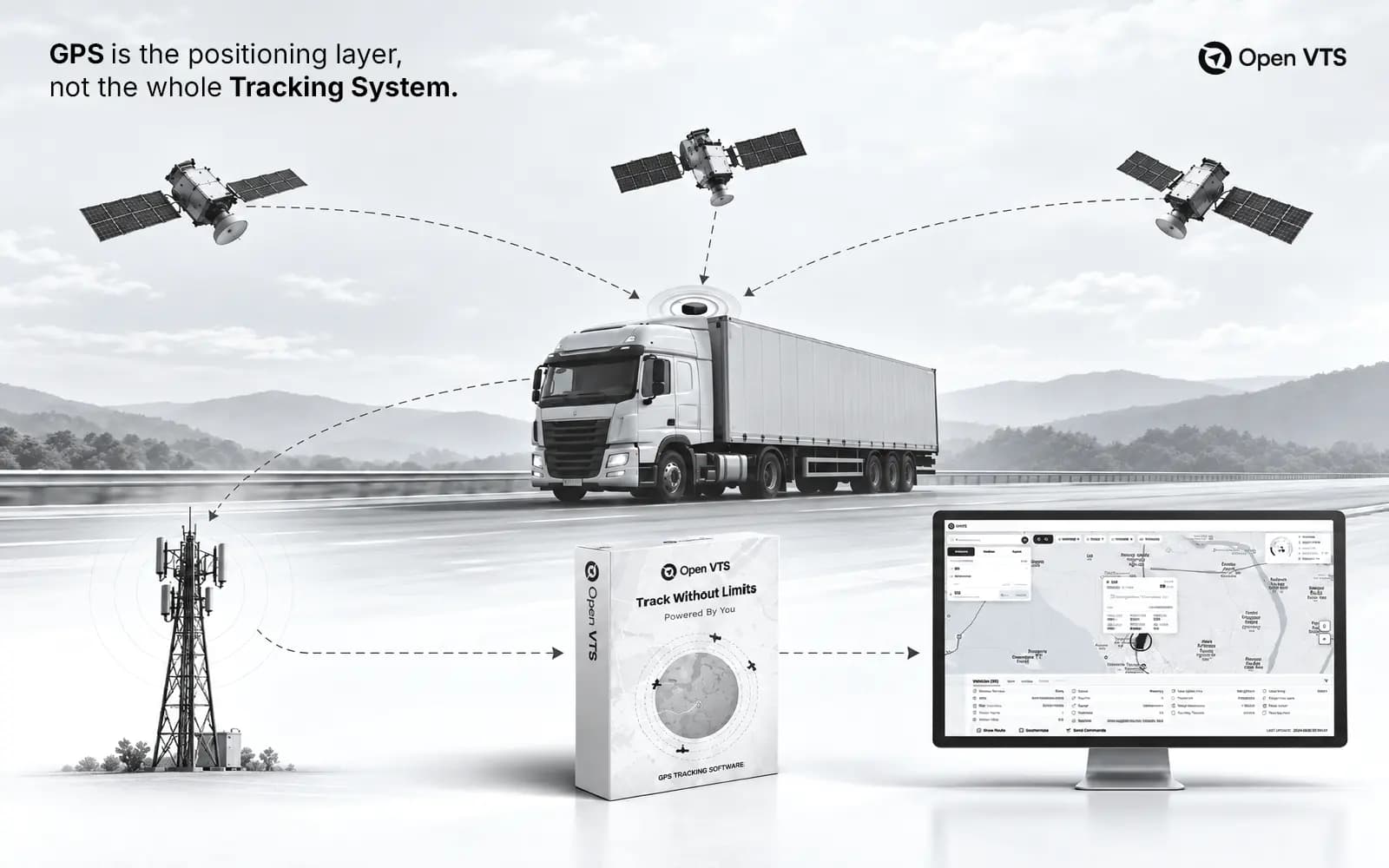
For businesses that want more control over their tracking system, self-hosted GPS tracking software like Open VTS can also be a strong option. Open VTS is built for companies that want to track vehicles, manage fleets, monitor geofences, review reports, and keep GPS tracking data on their own infrastructure.
This guide will help you understand what to check before choosing GPS tracking software.
Quick Answer: How Do You Choose the Right GPS Tracking Software?
Choose GPS tracking software by checking live tracking accuracy, route history, geofencing, alerts, reports, device compatibility, mobile access, user roles, data security, scalability, support, pricing, and ownership of data.
If your business wants full control over fleet data and tracking infrastructure, you should also consider a self-hosted GPS tracking platform like Open VTS.
1. Start With Your Business Need
Before looking at features, understand why you need GPS tracking.
A logistics company, school bus operator, waste management fleet, construction business, and rental fleet may all need GPS tracking, but their priorities are different.
A logistics company may care about route history and delivery visibility.
A school bus operator may care about safety and route monitoring.
A construction company may care about asset security and jobsite movement.
A waste management fleet may care about route coverage, missed pickups, dump yard visits, and proof of service.
So before choosing software, ask:
- What problem are we trying to solve?
- How many vehicles do we have?
- How many vehicles may we have in the future?
- Do we need only live tracking, or do we need reports and history?
- Do we need geofencing?
- Do we need driver behavior monitoring?
- Do we need fuel monitoring?
- Do we need mobile access?
- Do we need to control our own data?
When your business need is clear, choosing software becomes much easier.
2. Check Real-Time Tracking Quality
Live tracking is the core of any GPS tracking software.
But not all live tracking is equal.
Good software should show the vehicle’s current location clearly and update it reliably. It should also show speed, ignition status, movement status, direction, last update time, and whether the vehicle is running, stopped, idle, or offline.
You should avoid software where vehicles jump randomly on the map, disappear without reason, show old data as live, or display incorrect vehicle status.
During a demo, check how smoothly the map updates. Also check how quickly the system reflects new data from the vehicle.
For daily operations, real-time tracking must feel dependable. If your team cannot trust the live map, they will keep calling drivers again and again.
3. Review Route History and Replay
Live tracking shows what is happening now.
Route history shows what happened earlier.
This is very important for real business use.
With route history, you can check where a vehicle went yesterday, which route it followed, where it stopped, how long it stayed, and whether it reached the customer location.
Route replay is useful when there is a complaint, delivery dispute, route deviation, or driver-related question.
For example, if a customer says the vehicle never arrived, you can check the history instead of depending only on verbal confirmation.
A good GPS tracking system should provide route history, stop points, trip details, time filters, speed records, and easy reports.
4. Look for Geofencing
Geofencing is one of the most useful features in GPS tracking software.
A geofence is a virtual boundary around a real location. You can create geofences around depots, warehouses, customer sites, schools, parking yards, job sites, dump yards, restricted zones, or delivery areas.
When a vehicle enters or exits that area, the system can record the event or send an alert.
Geofencing helps answer questions like:
- Did the vehicle reach the warehouse?
- When did it leave the depot?
- How long did it stay at the customer site?
- Did it enter a restricted area?
- Did it leave the yard after working hours?
For businesses using Open VTS, geofencing can be managed inside a self-hosted tracking system, which means geofence data and vehicle history can remain under the company’s own control.
5. Check Reports and Analytics
GPS tracking software should not only show vehicles on a map.
It should help you understand fleet performance.
Reports are what make tracking useful for management.
Important reports include:
- Vehicle movement report
- Trip report
- Stop report
- Idle report
- Overspeed report
- Geofence report
- Distance report
- Ignition report
- Driver behavior report
- Fuel report, if supported
- Daily fleet summary
Before choosing software, ask for sample reports.
Reports should be easy to read, easy to filter, and useful for non-technical users. If reports are confusing, your team may stop using them.
Good reports help you understand where time, fuel, and productivity are being lost.
6. Check Alerts and Notifications
Alerts help your team respond quickly.
A good GPS tracking system should allow useful alerts, not just basic notifications.
Common alerts include:
- Overspeed alert
- Long idle alert
- Geofence entry alert
- Geofence exit alert
- Route deviation alert
- Device offline alert
- Ignition on/off alert
- Unauthorized movement alert
- Maintenance reminder
- Low battery alert
- Fuel theft alert, if sensor is connected
The important thing is control.
You should be able to decide who receives alerts, which vehicles trigger alerts, and which alerts should be active.
Too many alerts create noise. Useful alerts create control.
7. Check GPS Device Compatibility
Many businesses already have GPS trackers installed in their vehicles.
Before choosing software, check whether it supports your existing devices.
Ask the vendor:
- Which GPS devices are supported?
- Which protocols are supported?
- Can my existing trackers be connected?
- Can new devices be added easily?
- Can device commands be sent?
- Can new protocols be added in the future?
This is important because changing all devices can be expensive and time-consuming.
The software should fit your fleet, not force your fleet to change unnecessarily.
8. Compare SaaS and Self-Hosted GPS Tracking Software
This is one of the biggest decisions.
Most GPS tracking platforms are SaaS-based. That means the software runs on the vendor’s cloud, and you usually pay a monthly or yearly fee.
This is simple for quick setup, but it may come with limitations such as per-vehicle fees, limited customization, vendor dependency, and less control over data.
Self-hosted GPS tracking software runs on your own server or private infrastructure.
This gives more control over:
- Data storage
- User access
- Reports
- Backups
- Customization
- Integrations
- Long-term ownership
- System deployment
Open VTS is a self-hosted GPS tracking software built for businesses that want more ownership over their tracking infrastructure. It helps companies track vehicles, manage fleets, create geofences, review reports, and keep GPS data under their own control.
It should give you clarity, control, and confidence.
Scalability matters because changing software later can be painful.