
Geofencing is a location-based technology that creates a virtual boundary around a real-world place. This place can be a warehouse, depot, office, customer site, school, construction area, parking yard, or restricted zone.
When a vehicle, mobile device, or asset enters, exits, or stays inside that boundary, the GPS tracking software can automatically record the event and trigger alerts, reports, or actions.
In simple words, geofencing is like drawing an invisible digital fence on a map. Whenever your vehicle crosses that digital fence, the system knows what happened.
This helps them track when vehicles leave in the morning and when they return at night.
It also helps with security.
If a vehicle leaves the yard after working hours, the system can alert the right person.
A Simple Example of Geofencing
Imagine you run a transport company.
Every morning, your vehicles leave the depot. During the day, they visit warehouses, customer sites, delivery points, and service areas. At night, they return to the yard.
Without geofencing, your team may need to call drivers again and again:
“Have you reached?”“When did you leave?”“Are you still at the customer site?”“Why is the vehicle late?”
With geofencing, these updates can be captured automatically.
If a vehicle enters the warehouse at 10:15 AM, the system records the entry time.
If it leaves at 10:55 AM, the system records the exit time.
Now you know the vehicle stayed there for 40 minutes.
This helps you understand loading time, waiting time, delivery delays, and daily movement without depending only on driver updates.
Why Geofencing Matters in GPS Tracking
GPS tracking shows you where your vehicle is.
Geofencing tells you what happened at a location.
That is the real difference.
A GPS map may show that a vehicle is near a customer site. But geofencing can confirm that the vehicle actually entered the customer site, stayed there for 25 minutes, and then left.
That information is far more useful for business operations.
Geofencing helps answer questions like:
- Did the vehicle reach the depot?
- Did it leave on time?
- Did it spend too much time at the warehouse?
- Did it visit the customer location?
- Did it enter a restricted zone?
- Did it move after working hours?
- Did it follow the planned route?
For fleet owners, this means better control.
For operations teams, this means fewer manual updates.
For customers, this means better service.
For management, this means cleaner reports and better decisions.
How Geofencing Works
Geofencing works by combining GPS location data with a digital boundary on the map.
The process is simple.
First, you create a virtual boundary around a location. Then your GPS tracking device sends vehicle location data to the tracking software. The software checks whether the vehicle is inside or outside the boundary. If the vehicle crosses the boundary, the system creates an event.
Let’s understand this step by step.
Step 1: Choose the Location You Want to Monitor
The first step is to choose the location that matters to your business.
This could be:
- Your main depot
- A warehouse
- A parking yard
- A customer delivery point
- A school campus
- A construction site
- A fuel station
- A service center
- A mining area
- A restricted zone
The location should have a clear purpose.
For example:
You may want to know when vehicles leave the depot.
You may want to know how long trucks stay at a warehouse.
You may want to receive an alert if a vehicle enters a restricted area.
You may want to confirm that a delivery vehicle actually reached the customer site.
A good geofence always starts with a clear business reason.
Step 2: Draw the Geofence on the Map
After selecting the location, you create a boundary around it in the GPS tracking software.
There are different types of geofences.
Circular Geofence
A circular geofence is created by selecting a center point and radius.
For example, you can create a 200-meter circle around a warehouse.
This is quick and easy.
It is useful for simple locations like small offices, parking areas, temporary sites, or basic customer locations.
But circular geofences are not always perfect. Real business locations are often not circular. A warehouse, yard, or industrial area may have an irregular shape.
If the circle touches a nearby road, a vehicle passing outside the site may accidentally trigger an entry alert.
Polygon Geofence
A polygon geofence allows you to draw a custom shape on the map.
This is better for professional fleet operations.
You can draw the boundary according to the actual shape of your warehouse, depot, yard, campus, or restricted area.
Polygon geofences are useful for:
- Large warehouses
- Industrial areas
- Construction sites
- Mining zones
- School campuses
- Parking yards
- Customer plants
- Restricted operational areas
For serious fleet tracking, polygon geofences are usually more accurate and practical than circular geofences.
Route or Corridor Geofence
A route geofence is used when you want to monitor whether a vehicle is following an approved route.
For example, a school bus, fuel tanker, or high-value cargo vehicle may need to stay on a fixed route.
If the vehicle moves outside the approved route corridor, the system can generate a route deviation alert.
This helps improve route discipline and safety.
Step 3: GPS Device Sends Vehicle Location
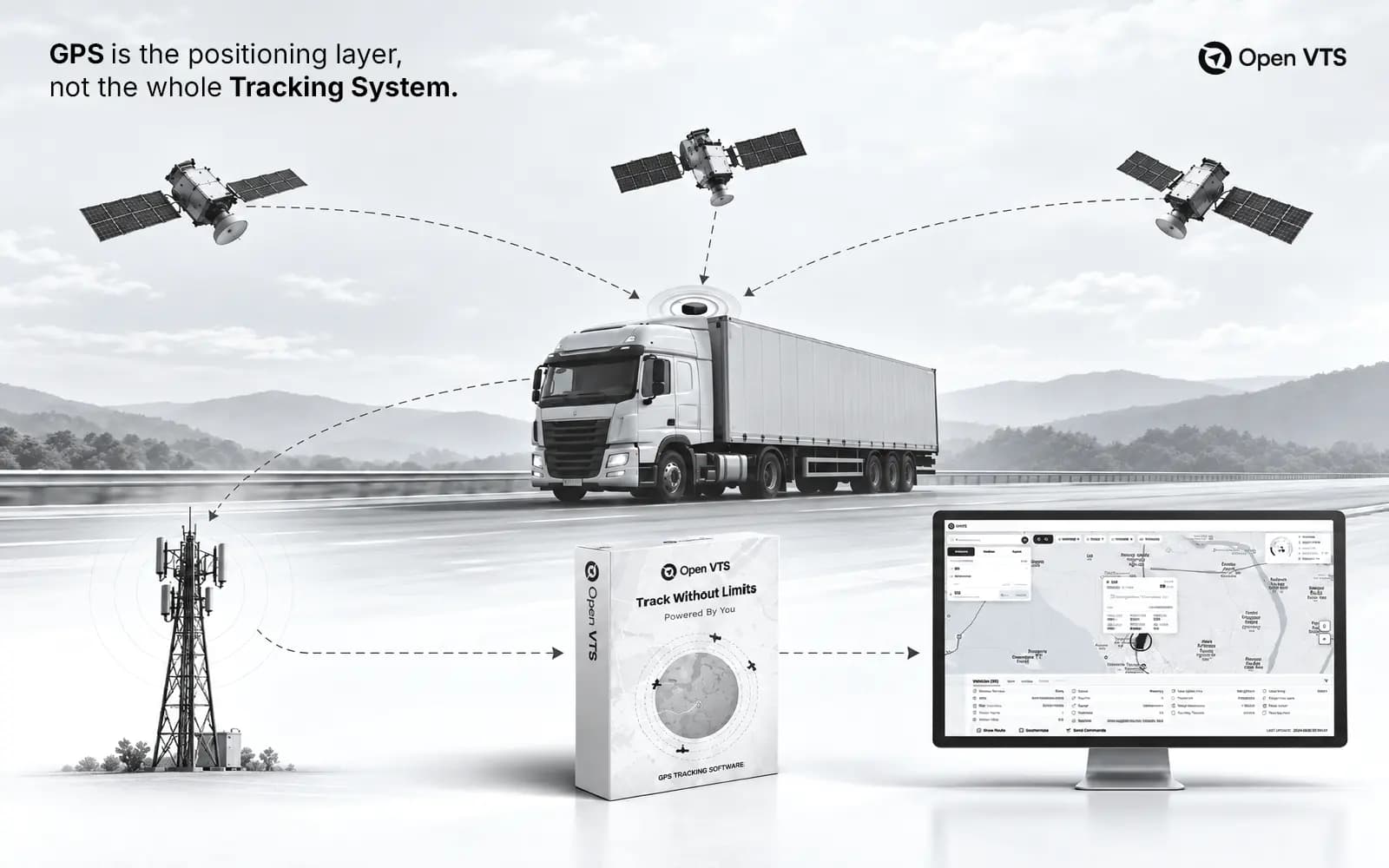
The GPS device installed in the vehicle sends location data to the tracking server.
This data usually includes:
- Latitude
- Longitude
- Speed
- Time
- Direction
- Ignition status
- Device ID
- Vehicle status
- Sensor data, if available
The GPS device gets the location from satellites.
Then it sends that data to the server using GSM or mobile network connectivity.
This is why both GPS signal and GSM signal are important.
GPS helps the device know where the vehicle is.
GSM helps the device send that location to the server.
If GPS signal is weak, the location may not be accurate.
If GSM signal is weak, the data may reach late.
This is one reason why geofence alerts can sometimes be delayed.
Step 4: Software Checks the Vehicle Position
Once the tracking software receives vehicle location data, it checks whether the vehicle is inside or outside the geofence.
The system compares the vehicle’s latest GPS point with the saved boundary.
It checks things like:
- Is the vehicle outside the geofence?
- Is the vehicle inside the geofence?
- Did the vehicle just enter?
- Did the vehicle just exit?
- Has the vehicle stayed inside for too long?
- Did the vehicle enter a restricted zone?
- Did the vehicle leave an authorized location?
This is where raw GPS data becomes useful business information.
Step 5: A Geofence Event Is Created
When the vehicle crosses the boundary, the system creates a geofence event.
Common geofence events include:
- Vehicle entered geofence
- Vehicle exited geofence
- Vehicle stayed inside geofence
- Vehicle entered restricted area
- Vehicle left authorized area
- Vehicle reached customer location
- Vehicle left depot after working hours
- Vehicle returned to base
These events can be used in alerts, reports, dashboards, and operational reviews.
Step 6: Alert or Report Is Triggered
After the event is created, the system can trigger an action.
For example:
- Send notification to the fleet manager
- Show alert on the dashboard
- Add the event to a report
- Record arrival time
- Record departure time
- Track loading or unloading duration
- Create a security alert
- Notify the operations team
This helps your team respond faster.
Instead of waiting for someone to manually update the status, the system gives location-based information automatically.
Real-Life Use Cases of Geofencing
Warehouse Entry and Exit
A logistics company can create a geofence around its warehouse.
Whenever a truck enters, the system records the entry time.
When the truck exits, the system records the departure time.
This helps the company understand how long the vehicle stayed there.
Was it waiting for loading?Was there a delay?Did it leave on time?How many vehicles visited the warehouse today?
These answers help improve daily operations.
Depot Monitoring
Fleet owners can create geofences around their depots or parking yards.
This helps them track when vehicles leave in the morning and when they return at night.
It also helps with security.
If a vehicle leaves the yard after working hours, the system can alert the right person.
This is useful for preventing unauthorized usage and reducing risk.
Customer Site Tracking
For delivery and service businesses, geofencing can confirm whether a vehicle actually reached the customer location.
This reduces confusion and disputes.
Instead of depending only on a driver’s message, the system creates a location-based record.
This is useful for delivery proof, service confirmation, and customer communication.
School Bus Monitoring
School bus operators can create geofences around schools, pickup points, and drop points.
This helps the school or transport operator know when buses arrive and leave important locations.
It improves safety and gives better visibility to the operations team.
Construction Site Security
Construction companies often manage expensive vehicles, machines, and equipment.
By creating geofences around job sites, they can monitor whether equipment leaves the site without permission.
If movement happens after working hours, the system can create an alert.
This helps reduce unauthorized usage and theft risk.
Restricted Zone Monitoring
Some vehicles should not enter certain areas.
These may include:
- Restricted industrial zones
- Dangerous routes
- Unauthorized city areas
- Border-sensitive areas
- High-risk locations
Geofencing helps businesses detect these movements quickly.
Mining and Industrial Operations
Mining and industrial fleets often operate in controlled zones.
Geofencing can help monitor movement around:
- Mining pits
- Loading areas
- Safety zones
- Restricted zones
- Maintenance areas
- Fuel areas
This improves operational control and safety.
Benefits of Geofencing in Open VTS
Better Operational Visibility
Geofencing helps you understand what is happening at important places.
You do not just see moving vehicles on a map. You see meaningful events.
You know when a vehicle entered a site, exited a site, stayed too long, or moved outside an approved area.
Fewer Manual Follow-Ups
Fleet managers often spend a lot of time asking drivers for updates.
With geofencing, many of these updates are recorded automatically.
The system can show when the vehicle arrived and when it left.
This saves time and reduces dependency on manual communication.
Stronger Security
Geofencing helps detect unauthorized movement.
If a vehicle leaves a yard after working hours or enters a restricted zone, the system can alert the right person.
This gives businesses better control over vehicles and assets.
Cleaner Reports
Reports become easier to understand when locations have names.
Instead of seeing only coordinates or unknown map points, your team can see:
- Main Depot
- North Warehouse
- Customer Site 12
- School Campus
- Parking Yard
- Restricted Zone
This makes reports more useful for managers and non-technical users.
Better Customer Service
For delivery and service businesses, geofencing helps confirm arrivals and departures.
This gives your team more confidence when updating customers.
Instead of saying, “The driver said he reached,” your team can check the system record.
Better Accountability
Geofencing creates a clear record of vehicle movement around important locations.
This helps improve driver accountability, route discipline, and operational transparency.
Geofencing Accuracy: What You Should Know
Geofencing depends on GPS location data.
So accuracy depends on the quality of that data and how well the geofence is created.
Accuracy can be affected by:
- GPS signal quality
- Device hardware quality
- GSM network availability
- Data update frequency
- Tall buildings
- Tunnels
- Underground parking
- Dense city roads
- Weather conditions
- Geofence size
- Geofence shape
- Boundary placement
For example, if a geofence is too small, the system may generate false exit alerts because GPS points can shift slightly.
If the geofence boundary is too close to a road, a vehicle passing nearby may trigger a false entry alert.
That is why geofence setup should be done carefully.
A good geofence is not just drawn on the map. It is planned according to real vehicle movement.
Common Geofencing Problems
False Entry Alerts
A false entry alert happens when a vehicle only passes near a geofence but the system thinks it entered.
This usually happens when the boundary is too close to a road.
False Exit Alerts
A false exit alert happens when the GPS location temporarily jumps outside the boundary.
This can happen because of weak GPS signal or GPS drift.
Delayed Alerts
Sometimes a vehicle enters the geofence, but the alert comes late.
This may happen because of weak GSM signal, network delay, or device communication issues.
Too Many Alerts
If every small movement creates an alert, managers may stop paying attention.
This is called alert fatigue.
A good geofencing setup should send only useful alerts to the right person.
Wrong Geofence Size
If the geofence is too small, it may create false alerts.
If it is too large, it may show arrival too early.
The best size depends on the real location, road layout, and business purpose.
Best Practices for Creating Geofences
Define the Purpose First
Before creating a geofence, ask:
- Why do we need this geofence?
- What do we want to track?
- Who should receive the alert?
- What action should happen after the alert?
- Is this geofence for alerts, reports, or both?
A geofence without purpose creates noise.
A geofence with purpose creates control.
Use Polygon Geofences for Important Locations
For depots, warehouses, large yards, customer sites, schools, and restricted areas, polygon geofences are usually better.
They follow the actual shape of the location and reduce false alerts.
Keep Boundaries Away From Roads
If the geofence edge touches a nearby road, passing vehicles may trigger alerts.
Always keep some buffer from public roads.
Make the Boundary Slightly Larger Than the Exact Building
GPS is accurate, but it is not always perfect.
A slightly larger boundary helps reduce false exit alerts.
Use Clear Names
Good names make reports easier to read.
Use names like:
- Depot - Mumbai
- Warehouse - North Zone
- Customer - Site 12
- School - Main Campus
- Restricted - Mining Zone
- Parking Yard - East Gate
Avoid names like:
- Area 1
- Test
- Fence 123
- Location A
Clear names save time later.
Test With Real Movement
After creating a geofence, test it with an actual vehicle.
Check:
- Entry event
- Exit event
- Alert timing
- Report record
- Notification recipient
- Boundary accuracy
Testing helps avoid confusion in real operations.
Do Not Send Every Alert to Everyone
Only the right person should receive the right alert.
For example:
The security team should receive after-hours movement alerts.
The operations team should receive warehouse arrival alerts.
Management may only need reports.
This keeps the system useful and clean.
Circular Geofence vs Polygon Geofence
FeatureCircular GeofencePolygon GeofenceSetup SpeedVery fastTakes more timeShapeFixed circleCustom shapeBest ForSimple locationsReal business locationsAccuracyGood for basic useBetter for professional useFalse Alert RiskHigher near roadsLower if drawn properlyUse CaseQuick alertsWarehouses, yards, sites, restricted zones
GPS Tracking vs Geofencing
GPS tracking and geofencing work together, but they are not the same.
GPS tracking shows where the vehicle is.
Geofencing explains what happened at a specific location.
Example:
GPS tracking says:
“Vehicle 27 is near the warehouse.”
Geofencing says:
“Vehicle 27 entered Warehouse A at 9:42 AM and exited at 10:18 AM.”
This is why geofencing is useful for fleet operations.
It adds meaning to location data.
Does Geofencing Work Without Internet?
Geofencing needs location data and communication.
The GPS device can detect location using satellites. But the software needs to receive that data to process alerts and reports.
If the device has no GSM or internet connection, the alert may not come in real time.
In many cases, the device may store the data and send it later when the network comes back.
This means the event may still appear in history, but the live alert can be delayed.
That is why good GPS hardware, stable network, and reliable tracking software are important.
Privacy and Data Ownership
Geofencing uses location data, so businesses should handle it responsibly.
A company should:
- Use vehicle tracking for business purposes
- Inform drivers or employees where required
- Limit access to authorized users
- Use role-based permissions
- Protect location history
- Follow local rules and company policies
This is also where self-hosted GPS tracking becomes important.
In many SaaS platforms, your vehicle data is stored on the vendor’s cloud.
With Open VTS, businesses can deploy the tracking system on their own server. This gives them more control over where GPS data is stored, who can access it, and how long it is retained.
For companies that care about privacy, ownership, and independence, this is a major advantage.
What Is Self-Hosted Geofencing?
Self-hosted geofencing means your geofence data and GPS tracking system run on your own server or private infrastructure.
Instead of depending completely on a third-party SaaS platform, your business can manage the software on its own server.
This gives more control over:
- GPS data
- Geofence history
- Alerts
- User access
- Reports
- Backups
- Integrations
- Custom logic
- Long-term ownership
Open VTS is built for this kind of control.
It is designed for businesses that want to own their GPS tracking infrastructure instead of staying locked inside a closed platform.
Why Open VTS Is Different
Open VTS is a self-hosted vehicle tracking software built for businesses that want control, ownership, and security over their tracking infrastructure.
Many companies need GPS tracking, but they do not want to depend forever on locked SaaS platforms.
They want to control:
- Where their data is stored
- Who can access it
- How the system is deployed
- How reports are managed
- How alerts are configured
- How the software grows with their business
Open VTS is built around that idea.
It helps businesses track vehicles in real time, manage fleets, create geofences, monitor alerts, view reports, and keep GPS tracking data under their own control.
The mission is simple:
To make GPS tracking easier, more open, and more controllable for serious fleet businesses.
How Open VTS Helps With Geofencing
Open VTS helps businesses create geofences around important locations and monitor vehicle movement automatically.
You can use geofencing in Open VTS for:
- Depot monitoring
- Warehouse entry and exit
- Customer site visits
- Parking yard security
- Restricted zone alerts
- School bus movement
- Jobsite control
- Route discipline
- Delivery confirmation
- Fleet reports
Because Open VTS is self-hosted, your geofence data and GPS history can stay on your own server.
This gives businesses more confidence when managing sensitive fleet data.
Who Should Use Geofencing?
Geofencing is useful for almost every business that manages vehicles or mobile assets.
It is especially useful for:
- Logistics companies
- Transport businesses
- Delivery companies
- School bus operators
- Construction companies
- Mining fleets
- Government fleets
- Security companies
- Rental fleet operators
- Field service teams
- Waste management companies
- Enterprise fleet operators
If your business has vehicles moving between fixed locations, geofencing can help you manage them better.
How to Choose Geofencing Software
Before choosing GPS tracking software with geofencing, check whether it supports your real business needs.
Look for:
- Real-time GPS tracking
- Easy geofence creation
- Circular and polygon geofences
- Entry and exit alerts
- Dwell-time tracking
- Restricted zone alerts
- Route deviation monitoring
- Web dashboard
- Mobile access
- Reports and history
- Role-based access
- Custom notification rules
- Data ownership
- Self-hosting option
- API or integration support
- Scalability for growing fleets
The best geofencing software should not only create alerts.
It should help your business make better decisions.
Common Mistakes to Avoid
1. Creating Too Many Geofences
Start with the most important locations first.
Too many geofences can make the system noisy and hard to manage.
2. Making Geofences Too Small
Very small geofences may create false exit alerts.
Use practical boundaries that match real movement.
3. Ignoring Nearby Roads
If a boundary is too close to a road, vehicles passing nearby may trigger alerts.
4. Sending Alerts to Everyone
Every alert should go to the right person.
Do not send all alerts to all users.
5. Not Testing the Geofence
Always test geofences with real vehicles before depending on them.
6. Poor Naming
Bad names make reports confusing.
Use names that your team can understand easily.
7. The Future of Geofencing in Fleet Management
Geofencing is becoming more important because fleet businesses want automation, visibility, and control.
In the future, geofencing will connect with more advanced workflows such as:
- Automated delivery confirmation
- Customer ETA updates
- Driver attendance
- Route compliance scoring
- Security automation
- AI-based fleet insights
- Predictive alerts
- ERP and logistics integration
- Advanced fleet reports
For serious fleet operations, geofencing is not just a small feature.
It is a foundation for smarter fleet management.
Conclusion
Geofencing makes GPS tracking more useful. It helps businesses understand what happened at important locations, not just where vehicles are on the map.
With geofencing, you can know when a vehicle entered a warehouse, left a depot, reached a customer site, stayed too long, entered a restricted zone, or moved outside an approved route.
For fleet businesses, this means better visibility, stronger security, cleaner reports, and more operational control.
Open VTS takes this further by giving businesses a self-hosted GPS tracking system where they can manage geofencing, vehicle tracking, alerts, reports, and data ownership on their own infrastructure.
For companies that want control, privacy, and freedom from locked SaaS platforms, Open VTS provides a stronger foundation for GPS tracking and fleet management.
Open VTS is built for businesses that want to track, manage, and scale their fleets with control, ownership, and confidence.