What Is Fleet Management Software? Everything You Need to Know (2026 Guide)
A fleet can generate thousands of data points every day vehicle locations, trips, engine hours, fuel activity, driver events, maintenance records, alerts, and customer stops. But data alone does not create control. When that information is scattered across spreadsheets, phone calls, GPS portals, maintenance records, and separate business systems, fleet managers are still forced to piece together what is happening.
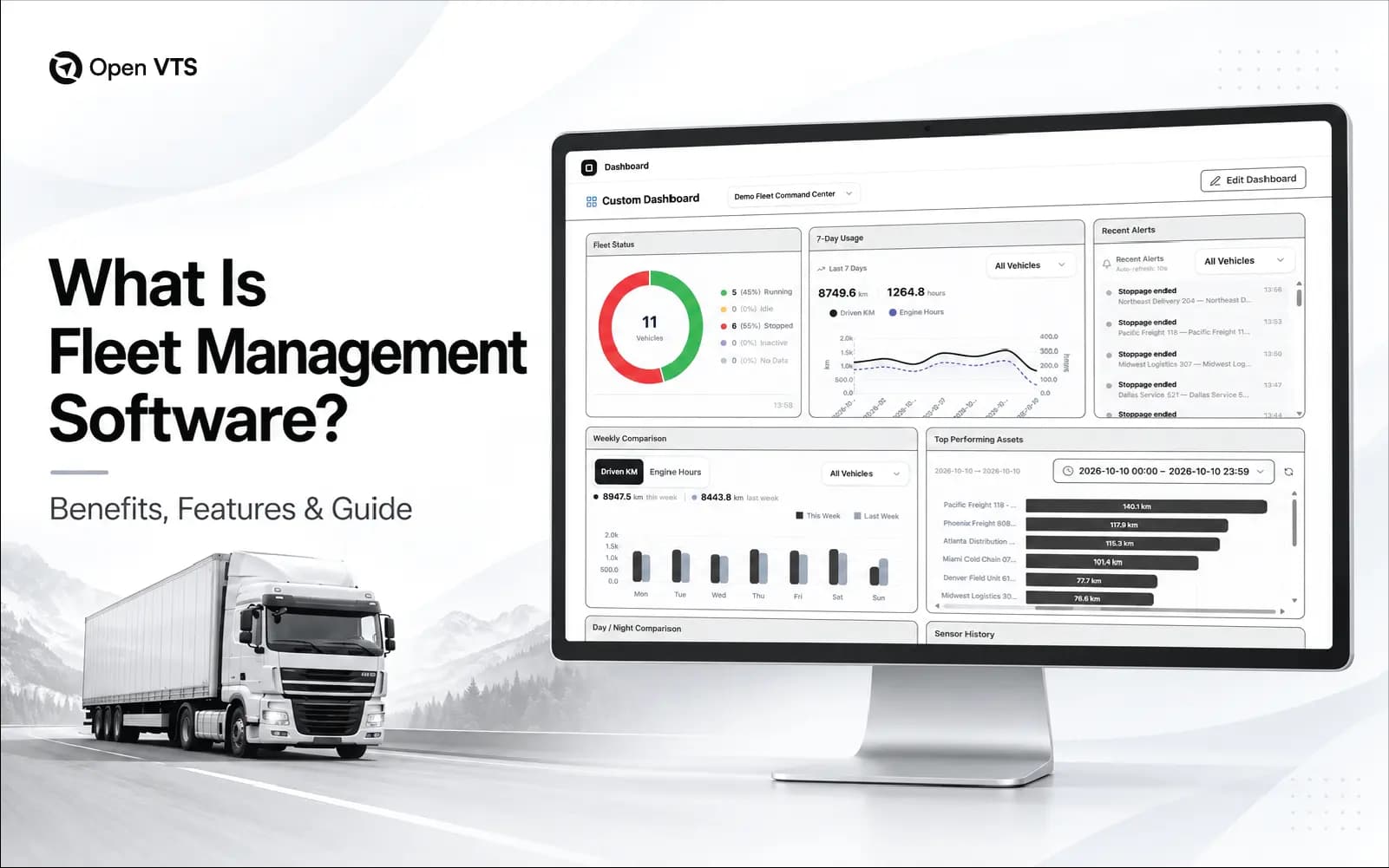
Fleet management software closes that gap. It brings vehicle, driver, asset, and operational information into one system and turns raw fleet data into something far more valuable: decisions. That is why modern fleet management software goes well beyond showing vehicles on a map. It helps businesses understand how their fleet is operating, where money and time are being lost, what requires attention, and what should happen next.
What Is Fleet Management Software?
Fleet management software is a digital platform that helps organizations monitor, manage, and improve the operation of vehicles, drivers, equipment, and mobile assets. Depending on the platform, it can combine real-time vehicle tracking with route history, geofencing, driver monitoring, maintenance planning, fuel or energy management, inspections, alerts, reporting, video telematics, and integrations with other business systems.
Think of it as the operational control layer of a fleet. GPS tracking may tell a dispatcher that a truck is 12 kilometres from a customer. Fleet management software can add the context: whether the truck is delayed, how long it has been idling, which driver is assigned, when maintenance is due, what route it followed, and whether an operational alert needs attention. Fleet management software turns vehicle and operational data into visibility, workflows, alerts, reports, and decisions that help businesses manage fleets more effectively.
How Does Fleet Management Software Work?
What appears on screen as a vehicle icon, alert, trip report, or maintenance reminder is the final stage of a much larger data flow.
1. The Fleet Generates Data : Data can originate from aftermarket GPS trackers, OEM telematics systems, CAN or OBD interfaces, cameras, temperature and fuel sensors, driver applications, and other connected equipment. Depending on the setup, these sources may capture location, speed, ignition, mileage, engine information, driving events, asset status, video, temperature, and other operational signals.
2. The Data Reaches the Platform : Telematics hardware commonly transmits data using cellular or, in some applications, satellite connectivity. Modern platforms can also receive information through APIs and integrations with OEM or third-party systems. This distinction matters: not every modern fleet system depends on a separate aftermarket GPS tracker in every vehicle.
3. Raw Data Becomes Operational Context : Coordinates alone are just numbers. Fleet software interprets incoming information and turns it into trips, stops, geofence events, mileage, idling, driver events, vehicle status, maintenance triggers, utilization reports, and other useful records.
4. People Turn Information Into Action : Dispatchers can respond to delays. Maintenance teams can act on service requirements. Safety managers can review driving events. Operations teams can investigate underused assets or inefficient routes.
What Does Fleet Management Software Actually Manage?
A long feature list can make almost every fleet platform look impressive. A better way to understand fleet software is to connect capabilities to the business problems they solve.
| Business Need | Typical Capabilities | Operational Value |
|---|---|---|
| Fleet visibility | Live tracking, trip history, geofencing, asset status | Understand where vehicles are and how they are being used |
| Cost control | Idling, fuel/energy, routing and utilization analysis | Identify avoidable operational waste |
| Vehicle uptime | Maintenance schedules, inspections, diagnostics | Act earlier on servicing and vehicle-health requirements |
| Driver & fleet safety | Driving events, scorecards, alerts, video telematics | Identify risk and support targeted driver coaching |
| Daily operations | Dispatch, routes, notifications, mobile workflows | Coordinate vehicles, drivers and field activity |
| Business intelligence | Dashboards, reports, APIs and integrations | Connect fleet information with wider business decisions |
Maintenance tools, for example, can use odometer readings, engine information, inspections, and service intervals to help teams plan work before smaller issues become larger operational disruptions. Driver-monitoring systems can surface events such as speeding, harsh braking, acceleration, and excessive idling for review.
Not every business needs every capability. A construction fleet may prioritize equipment utilization and geofencing, while a delivery fleet may care more about dispatch, routes, ETAs, and driver performance. The right feature set follows the operation not the other way around.
GPS Tracking vs. Telematics vs. Fleet Management Software
These terms overlap, but they describe different layers of the fleet technology stack.
| Technology | Core Question | Primary Role |
|---|---|---|
| GPS tracking | Where is the vehicle or asset? | Location, movement and trip visibility |
| Telematics | What is the vehicle reporting? | Collect and transmit location, vehicle, sensor and driver data |
| Fleet management software | What should we do with that information? | Manage operations, maintenance, drivers, costs, safety and performance |
GPS tracking is therefore often a component of fleet management rather than its complete definition. Telematics supplies much of the data. Fleet management software organizes that data around business workflows and decisions. That distinction becomes increasingly important as fleets add cameras, EV information, OEM connections, mobile workflows, sensors, and external business systems.
Why Do Businesses Use Fleet Management Software?
Businesses do not invest in fleet technology because they need another dashboard. They invest because physical operations are difficult to manage when important information arrives late or not at all.
Fleet management software can help expose those blind spots. Live location and vehicle status can support faster dispatch decisions. Idling and utilization reports can expose inefficient vehicle use. Maintenance records and diagnostics can help teams plan service more deliberately. Driver-event information can support focused safety reviews instead of relying entirely on assumptions.
Digital reports and workflows can also reduce dependence on spreadsheets and repetitive manual administration The important distinction is that software does not magically reduce fuel, eliminate accidents, or prevent breakdowns. It gives managers better information and tools to act on those problems. The results still depend on the quality of the data, the workflows built around it, and how consistently the organization responds.
Cloud vs. Self-Hosted Fleet Management Software
Where fleet software runs is almost as important as what it does. With cloud or SaaS fleet management software, the provider hosts the application and underlying infrastructure. Customers typically access it through a browser or mobile application while the provider handles much of the hosting, platform maintenance, and software updating. With self-hosted fleet management software, the organization deploys the platform within infrastructure it controls—such as its own servers, data centre, private cloud, or cloud account.
| Criteria | Cloud / SaaS | Self-Hosted |
|---|---|---|
| Deployment | Vendor infrastructure | Customer-controlled infrastructure |
| Initial setup | Usually faster | Usually requires more technical planning |
| Infrastructure management | Primarily vendor responsibility | Primarily customer responsibility |
| Control | Defined by provider | Greater deployment-level control |
| Cost model | Commonly subscription-based | Depends on licensing and infrastructure |
| Best fit | Teams prioritizing convenience | Teams prioritizing infrastructure control and customization |
Neither architecture is automatically better. Cloud deployment can reduce the internal technical burden and accelerate implementation. Self-hosting can provide greater control over infrastructure, configuration, integrations, and data location but that control also creates responsibility for areas such as security, backups, monitoring, updates, and availability. The right question is therefore not Which model is better? It is Which responsibilities does our organization actually want to own?
What Matters When Choosing Fleet Management Software in 2026?
Feature comparison should come after operational requirements, not before them. Before committing to a platform, ask seven questions:
- 1What problem are we actually solving? Start with outcomes: visibility, maintenance, safety, dispatch, asset utilization, customer service, compliance, or cost control.
- 2Can it work with our fleet data? Verify compatibility with existing GPS devices, OEM feeds, cameras, sensors, CAN/OBD data, EVs, and other required sources.
- 3Can it connect to the rest of our business? APIs and integrations matter when fleet information must flow into ERP, TMS, CRM, accounting, maintenance, customer portals, or internal applications.
- 4Will it remain usable at our future scale? Consider vehicle count, users, data volume, storage, reporting performance, and multi-region operations—not simply today's fleet size.
- 5How are security and data governance handled? Review permissions, encryption, backups, auditability, retention, data location, incident procedures, and who is responsible for each layer.
- 6What is the real total cost? Software licensing is only one component. Hardware, connectivity, installation, integrations, storage, support, training, infrastructure, upgrades, and migration can all affect total cost of ownership.
- 7Can the platform evolve with the operation? Fleet technology is expanding into EV management, video telematics, AI-assisted analysis, automation, richer APIs, and increasingly connected workflows. Choose for the next stage of the business not merely the next procurement cycle. Modern platforms are already incorporating areas such as EV energy visibility and video-driven safety workflows.
A platform with 200 features is not automatically more valuable than one with 50.
The best system is the one that reliably turns the data your operation needs into actions your team can actually take.
Where Open VTS Fits
Open VTS approaches fleet tracking from the self-hosted side of this decision. The platform is designed to run on infrastructure controlled by the organization using it, with capabilities around real-time GPS tracking, route history, geofencing, fleet analytics, APIs, and compatible GPS device integration. Its documentation positions the system for organizations that want greater control over deployment, configuration, data access, and integrations.
That makes it relevant to businesses evaluating self-hosted fleet and vehicle-tracking infrastructure rather than a conventional vendor-hosted SaaS model. The same procurement rule still applies: verify the exact devices, protocols, data fields, integrations, infrastructure requirements, and operational workflows you need before deployment.
The Real Value of Fleet Management Software
A fleet produces information every second it operates. Location. Movement. Stops. Engine activity. Driver events. Maintenance signals. Costs. Exceptions. Without the right system, much of that information remains fragmented or arrives too late to influence what happens next. Fleet management software gives that information structure and gives people a chance to act on it. That is ultimately the standard by which fleet software should be judged. Not by how much data it collects, but by how many better decisions that data helps your business make.