GPS Tracking Software Features: The 40-Point Evaluation Checklist for Fleet & Telematics Teams
A GPS software demonstration should do more than show vehicles moving across a map. It should reveal what happens when a tracker loses connectivity, a dispatcher questions a mileage report, or an employee tries to access a vehicle outside their permissions. Those situations turn advertised features into testable capabilities.
The most important GPS tracking software features are trustworthy location data, useful history, configurable alerts, compatible devices, reliable reporting, appropriate access controls, and usable data exports. Beyond that foundation, the right requirements depend on your operation: dispatching, maintenance, driver safety, integrations, deployment control, or regulatory workflows. Evaluate each capability against a defined task, supporting evidence, and an acceptance test not simply whether it appears on a feature list.
What This Checklist Evaluates
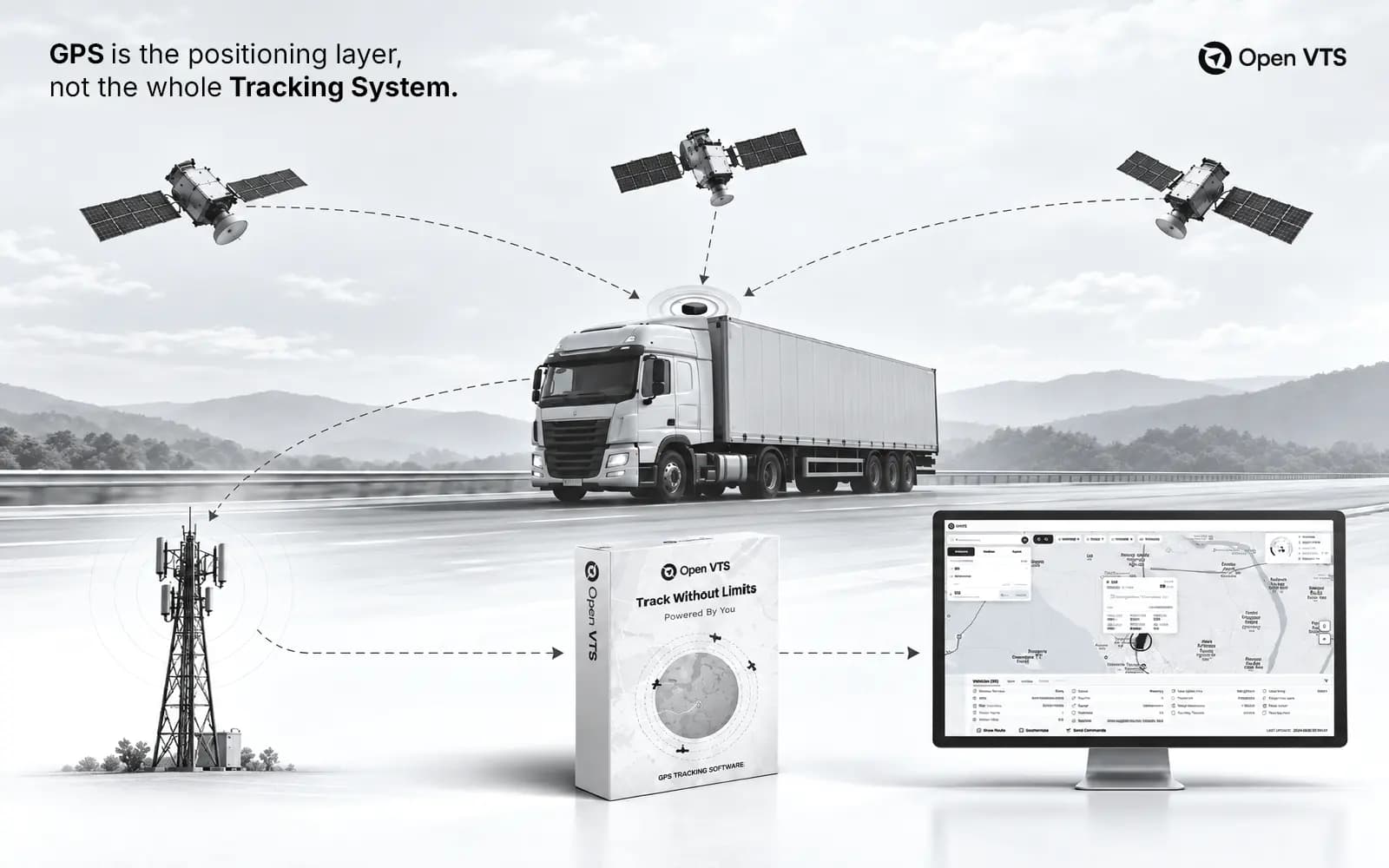
GPS is one satellite navigation system within the broader category of global navigation satellite systems, or GNSS. Fleet software sits downstream of positioning: it receives location and other vehicle data, processes that information, and makes it useful to operators. Broader telematics can also include engine measurements, driver events, energy consumption, and maintenance information; those capabilities require more than coordinates alone.
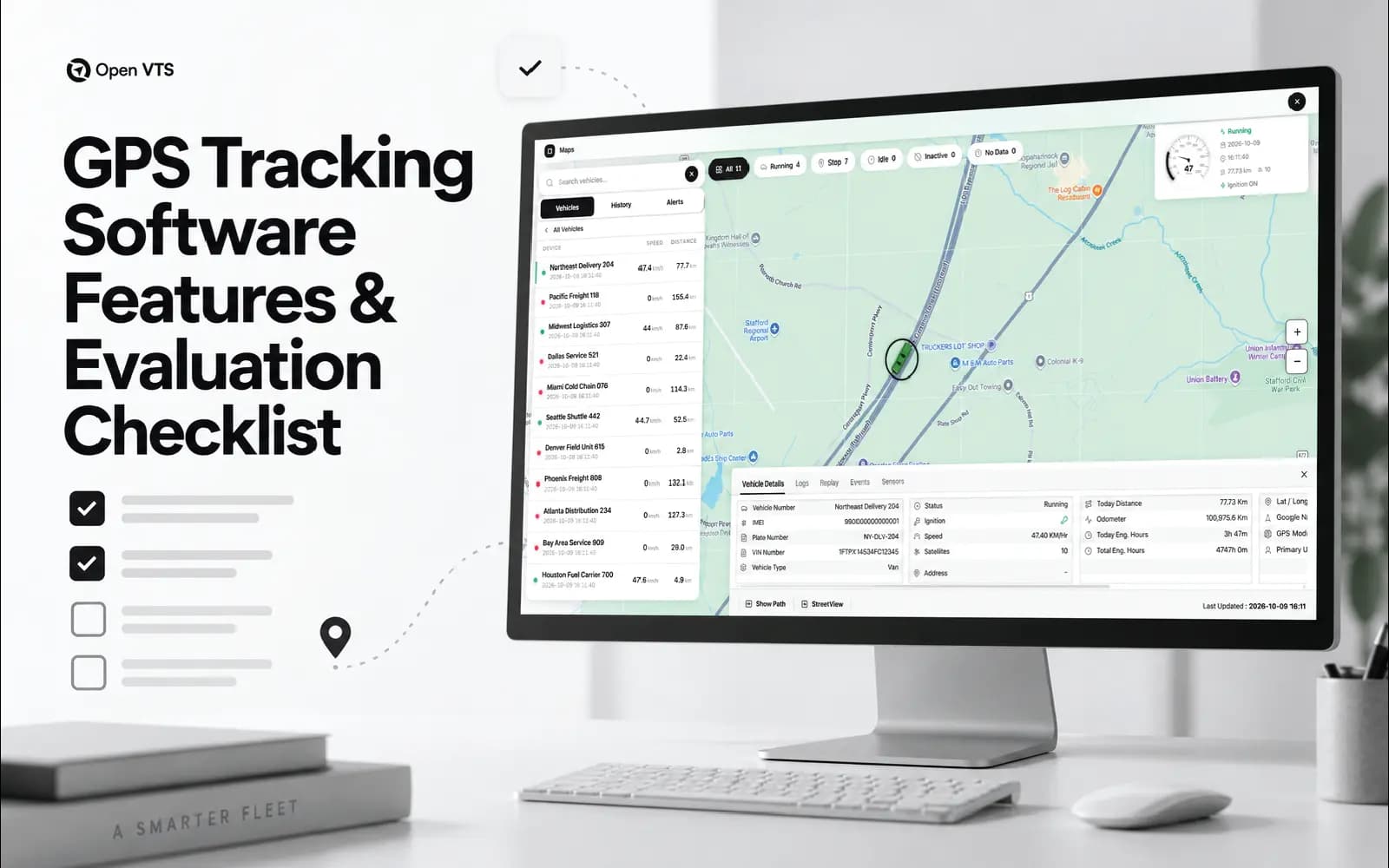
This checklist covers the complete buying decision, including software functions, device dependencies, operational reliability, and commercial constraints. Baseline identifies a sensible starting requirement for a fleet evaluation, not a universal legal obligation. Conditional identifies a capability that becomes important when your operation needs it. A conditional requirement can still be mandatory: temperature monitoring, for example, may be central to a refrigerated fleet while irrelevant to another buyer.
How to Use the 40-Point Checklist
Before reviewing platforms, describe the workflows you need to improve and agree on what success looks like. Replace “fast tracking” with an acceptable position age under specified conditions. Replace “good reporting” with a report that answers a particular operational question using an agreed calculation. Perform technical and failure tests only in an authorized environment, with safeguards appropriate to the vehicles and systems involved.
For each criterion, record the required outcome, priority, evidence, test result, limitations, and additional cost. Identify whether delivery depends on a native feature, separate module, compatible hardware, external service, or custom development. The framework below is a proposed evaluation method not a certification standard or a claim that any platform, including Open VTS, has passed these tests.
A. Location Data You Can Trust
1. Position Freshness and Stale-Data Visibility
Baseline.Require the interface to distinguish a current position from an old one. During a test, compare the tracker’s valid position timestamp, server receipt time, and display time, checking clock accuracy first. Define position age as the observation time minus the latest valid position time. Pause reporting and confirm that the interface visibly identifies stale information. Smooth animation should never be accepted as evidence that new measurements are arriving.
2. Position Validity and Accuracy Indicators
Baseline.Inspect how the platform handles invalid fixes, implausible jumps, and uncertain coordinates. GPS accuracy depends on receiver characteristics and environmental conditions, including signal blockage and reflections; software should not present every point as equally trustworthy. Test representative roads, depots, and obstructed locations. Ask which quality indicators are available and how filtering changes stored records, reports, and the displayed route.
3. Moving, Stopped, Idling, and Offline States
Baseline.Ask for the exact rules behind each vehicle status. Establish which inputs determine movement, ignition, idling, and connectivity, and what happens when those inputs disagree or disappear. Device documentation demonstrates why this matters: movement states can be configured around different sources, including ignition, accelerometer activity, or GNSS speed. Test a stationary running vehicle, a parked vehicle, and a disconnected tracker separately.
4. Route History and Playback
Baseline. Review an actual route containing stops, a reporting interruption, and a reconnection. Require original timestamps, adjustable playback, and a clear distinction between recorded positions and any interpolated display movement. Missing observations should remain identifiable rather than being concealed by an apparently continuous journey. Compare the map with an exported sample so that playback can be used to investigate events, not merely illustrate them.
5. Trip, Stop, and Distance Calculations
Baseline. Establish how trips begin and end, how short stops are treated, and whether distance comes from an odometer, vehicle data, or calculations between coordinates. Run a known journey with agreed reference measurements. Compare the results and investigate differences rather than demanding unexplained exact agreement between different measurement methods. Confirm what happens to totals when late records arrive or a tracker is replaced.
B. Everyday Fleet Operations
6. Geofencing That Matches Real Locations
Baseline. Evaluate the shapes, schedules, entry rules, exit rules, and dwell conditions your sites require. Test a vehicle passing near a boundary, making a brief visit, and remaining inside longer than expected. Agree on acceptable behavior given the reporting interval and available position quality. The useful question is not whether a platform can draw a polygon, but whether its events reliably represent the operational activity you care about.
7. Configurable Event and Alert Rules
Baseline. Ask operators to configure a real exception without vendor assistance: prolonged idling, unexpected movement, a missed site visit, or an overdue arrival. Examine combinations of conditions, schedules, exclusions, repeat suppression, and reset behavior. Trigger both a genuine exception and a near miss. Require the event record to explain which rule fired and why, so the team can investigate and improve noisy rules.
8. Notification Delivery and Escalation
Baseline. Separate event detection from notification delivery and human acknowledgment. Test the channels your team will actually use, including an invalid destination or temporarily unavailable recipient. Inspect failed-delivery records, retries, escalation rules, and ownership. For important alerts, agree on who must respond and how acknowledgment is recorded. A notification marked “queued” should not be treated as proof that the responsible person received or acted on it.
9. Search, Grouping, and Bulk Operations
Baseline. Use a fleet-sized dataset rather than a small demonstration account. Ask dispatchers to find a vehicle, filter by operational state, change groups, and apply a setting to an authorized selection. Check whether naming conventions, multiple depots, and large result sets remain manageable. Record task completion time and mistakes. A capability that requires repeated manual work across thousands of assets deserves a lower usability score.
10. Mobile Workflows and Role Parity
Conditional. Test the mobile workflows required by managers, dispatchers, and drivers separately. Verify relevant permissions, alerts, history, and account switching rather than assuming that desktop functionality carries across. Interrupt connectivity and confirm that the app refreshes correctly after reconnection. Also distinguish a mobile management application from a phone acting as a tracking device; they are different requirements and should have separate acceptance tests.
C. Devices, Connectivity, and Data Continuity
11. Exact Device and Protocol Compatibility
Baseline. Verify the intended tracker models, firmware versions, communication protocols, and required data fields—not just the number of devices advertised as supported. Connect representative hardware and inspect what the platform actually decodes. Confirm required ignition, odometer, battery, driver, or sensor information individually. Document unsupported fields and configuration dependencies. Receiving latitude and longitude is not sufficient proof of full compatibility with your intended workflow.
12. Configurable Recording and Transmission
Baseline. Distinguish when a tracker records a measurement from when it sends collected records. Device configurations can use time, distance, angle, speed changes, and separate transmission settings; therefore, a recording interval alone does not establish live-map freshness. Test the chosen configuration while moving, stationary, and roaming where relevant. Evaluate the result against acceptable tracking detail, connectivity cost, and battery consumption.
13. Offline Buffering and Correct Reconciliation
Baseline. Determine whether the selected hardware stores records during an outage and its capacity at your chosen recording rate. In a controlled test, interrupt the connection while recording continues, then restore it. Verify original timestamps, sequence handling, duplicate suppression, and completed history. Confirm that historical uploads do not incorrectly move a vehicle back to an old location or generate misleading “new” operational alerts.
14. Device Diagnostics and Remote Management
Baseline. Require enough diagnostic visibility to distinguish a power problem, connection problem, missing position fix, configuration error, and decoding failure. Where remote configuration or updates are supported, verify authorization, result reporting, and change history. Use non-disruptive commands on test equipment. NIST’s IoT guidance identifies controlled configuration, secure updates, and cybersecurity state awareness as capabilities worth assessing rather than assuming.
15. Sensor and Vehicle-Data Integration
Conditional. Build a field-level compatibility matrix for temperature, door state, fuel level, engine information, trailer identification, or other required inputs. Identify the sensor, vehicle interface, or upstream service supplying each value, along with units, calibration, and update frequency. Test a missing or disconnected source. The platform should let operators distinguish “unavailable” from a genuine zero and should expose the limitations of each supported combination.
D. Operational Efficiency and Safety
16. Dispatching and Constraint-Aware Routing
Conditional. Distinguish displaying a route from assigning work and optimizing it. For optimization, test actual constraints such as vehicle capacity, service duration, delivery windows, and driver availability. Official routing documentation distinguishes hard constraints from preferences that may be violated at a cost; your evaluation should do the same. Submit an infeasible job set and require an understandable explanation, not an apparently successful but unusable plan.
17. Driver Identification and Assignment History
Conditional. Verify how drivers are identified and linked to vehicles across shifts, shared vehicles, and substitutions. Test a driver change during the day and an unidentified trip. Historical assignments should remain understandable after the current driver changes. Where identification depends on a reader, tag, login, or external system, include that dependency in the evaluation. Check how corrections are authorized and recorded before using the data for accountability.
18. Driver-Safety Events and Review Workflows
Conditional. Examine how speeding, harsh maneuvers, or camera-based events are detected and reviewed. Ask for configurable thresholds, supporting context, and a process for challenging an incorrect classification. Test events against independently reviewed observations. Where AI is involved, assess missed events and false alerts using representative material rather than accepting a demonstration accuracy claim. A score should support investigation and coaching, not substitute for examining the evidence.
19. Fuel and Electric-Vehicle Energy Analysis
Conditional. Identify the source of every fuel or energy measure: direct vehicle data, a sensor, transaction records, or an estimate. Telematics can include fuel usage and electrical energy measurements, but availability must be checked for your vehicles and integration. Reconcile sample results with appropriate reference records. For electric vehicles, test the required state-of-charge and charging workflows; do not treat an estimated saving as a measured outcome.
20. Maintenance and Inspection Workflows
Conditional. Test service scheduling using the triggers your operation needs, such as mileage, engine hours, elapsed time, or an identified fault. Follow one item from detection through assignment, completion, and historical review. Confirm whether inspection defects become actionable work or simply remain in a report. Check how device replacement and corrected mileage affect schedules so that a maintenance workflow does not depend on silently inconsistent counters.
E. Reports, APIs, and Data Portability
21. Reproducible Reports and Dashboards
Baseline. Choose a report that supports a real decision, then trace its figures back to the underlying records and calculation rules. Examine filters, units, time zones, overnight trips, and late-arriving data. Test scheduled delivery and appropriate access to the output. Dashboards should make missing coverage visible. A persuasive chart is not enough when the team cannot explain why its total differs from another report.
22. Documented and Usable APIs
Conditional. Ask a developer to complete a representative integration using the available documentation. Evaluate endpoint coverage, pagination, authentication, permission scope, versioning, and rate limits. Test expired credentials and the documented response to excessive requests within an approved test plan. OWASP recommends HTTPS and access control at API endpoints; an integration should not gain broader access merely because it uses an API instead of the interface.
23. Webhooks and Reliable Event Integrations
Conditional. Inspect the delivery contract for event identifiers, authentication, retries, ordering, and recovery after failure. Test temporary endpoint downtime, repeated delivery, and an invalid signature. Primary webhook documentation explicitly addresses duplicates and out-of-order delivery, illustrating why “webhooks available” is not a sufficient requirement. Your integration should demonstrate that repeated delivery does not create duplicate jobs, invoices, or other downstream actions.
24. Complete, Usable Data Exports
Baseline. Export a representative period and verify timestamps, identifiers, coordinates, events, units, and relevant metadata. Test non-English names and relationships between vehicles, drivers, and trips. Open the output in another tool and reconstruct a useful record without vendor assistance. Establish export limits, retention boundaries, and access after termination. A report that can be downloaded is not necessarily a complete dataset that can be migrated.
25. Working Business-System Integrations
Conditional. Evaluate the actual workflow between the tracking platform and your transport, maintenance, customer-service, or analytics system. Trace a record through creation, mapping, correction, and retry after failure. Identify which party maintains the integration and what happens when an API changes. Separate an existing supported connector from an integration that still requires custom development, additional licensing, or ongoing work by your own team.
F. Security, Access, and Privacy
26. Strong Authentication and Account Recovery
Baseline. Require appropriate multifactor authentication for privileged access, and evaluate single sign-on where centralized identity management is needed. CISA recommends aiming for phishing-resistant MFA. Test enrolment, lost-factor recovery, employee departure, and session revocation not only successful login. Confirm that recovery mechanisms do not bypass the intended protection and that security settings cover the relevant web, mobile, and administrative entry points.
27. Granular Permissions and Tenant Isolation
Baseline. Map permissions to actual responsibilities: viewing vehicles, exporting history, managing users, changing rules, or sending commands. In an authorized test environment, verify that a restricted account cannot retrieve another group’s or tenant’s records through an API request. OWASP emphasizes authorization at the individual-object level. Hiding an interface button is not adequate evidence that the server prevents the corresponding action.
28. Audit Trails and Administrative Accountability
Baseline. Require a record of consequential actions, including permission changes, exports, configuration edits, and privileged access. Inspect the actor, time, affected object, and relevant change details. Test whether unauthorized users can alter or delete those records. OWASP recommends protecting logs from tampering and avoiding direct inclusion of credentials and other sensitive information. Evaluate audit usefulness and log protection together.
29. Protection Across the Entire Data Path
Baseline. Review protection for tracker communications, web and mobile access, APIs, stored data, and backups separately. Do not accept an HTTPS website as proof that every other connection is secured. Ask for documented encryption mechanisms, credential handling, key ownership, and exceptions for selected devices. NIST’s IoT guidance distinguishes secure transmission, storage, and key management; your assessment should preserve those distinctions.
30. Privacy, Retention, and Appropriate Monitoring
Baseline. Define who may access location history, why it is collected, how long it is retained, and when it should be deleted. Precise location records can reveal sensitive patterns of personal activity. Assess off-duty handling, restricted sharing, deletion workflows, and employee-facing transparency. Have qualified counsel confirm applicable workplace-monitoring and privacy requirements; a software setting does not by itself establish that a tracking practice is lawful.
G. Reliability and Engineering Quality
31. Performance at Your Actual Workload
Baseline. Test more than the number of registered vehicles. Include reporting frequency, retained history, concurrent operators, alerts, integrations, and large reports. As an illustrative calculation, 10,000 vehicles each generating one position every 10 seconds produce an average of 1,000 positions per second, or 86.4 million per day, if reporting continues around the clock. Measure response times and position age under that defined load, including slow-tail results rather than averages alone.
32. Availability That Covers Useful Service
Baseline. Establish what the service-level commitment actually covers: device ingestion, live tracking, APIs, alerts, reports, or only infrastructure availability. Test whether a major report or delayed processing queue disrupts operational tracking. Document exclusions, including dependencies outside the software provider’s control. Require an incident history or other relevant evidence where available. “The website remained online” should not be your only measure of operational availability.
33. Tested Backup and Disaster Recovery
Baseline. Agree on a recovery time objective the acceptable time to restore service and a recovery point objective the acceptable data-loss window. These are business requirements that should determine the recovery design. Ask for evidence from a restore test and examine whether configuration, credentials, application dependencies, and usable records were recovered together. A successful backup job is not the same result as a demonstrated recovery.
34. Monitoring and Failure Diagnosis
Baseline. Ask the technical team to trace a known record from receipt through processing to its operational destination. Evaluate visibility into disconnected devices, decoding errors, processing backlogs, report failures, and notification problems. Introduce a safe, controlled fault and observe whether monitoring identifies the affected component. Require actionable diagnostic information with suitable access restrictions, not merely a generic error message or a large collection of unexplained logs.
35. Maintainable Updates and Security Patching
Baseline. Review the release process, supported versions, security-update policy, and end-of-support commitments. Test an upgrade with representative configuration and historical data, including recovery from an unsuccessful change. Establish responsibility for each component in the chosen deployment. NIST identifies secure, authorized software updating as an IoT cybersecurity capability; extend that due diligence across the application and infrastructure you will depend on.
H. Deployment, Ownership, and Commercial Fit
36. A Deployment Model Your Team Can Operate
Baseline. Distinguish provider-operated SaaS from a deployment your organization operates, whether on local infrastructure or rented cloud servers. NIST’s service definitions make the control boundary important: consuming SaaS differs from managing applications and operating systems on infrastructure services. Map responsibility for updates, backups, monitoring, and incident response. Favor SaaS when operational delegation matters most; consider self-hosting when control justifies the operational responsibility.
37. Clear Licensing and Customization Rights
Baseline. Check source access, modification, commercial use, branding, redistribution, and support terms separately. Source availability alone does not make software open source; the Open Source Definition also addresses license rights, including modification and redistribution. Review platform and mobile components individually where relevant. For a reseller or telematics business, obtain explicit answers about white labeling and serving customers rather than inferring those rights from self-hosting.
38. Verified Regulatory Workflows Where Required
Conditional. For operations subject to U.S. electronic logging device requirements, evaluate the ELD workflow separately from ordinary tracking. Verify the exact device, software version, identifier, and current registration status, including the revoked list. FMCSA states that listed devices are manufacturer-self-certified and that it does not endorse ELDs. Review relevant logging, transfer, correction, and malfunction processes instead of accepting a broad “compliance-ready” label.
39. Implementable Onboarding and Dependable Support
Baseline. Establish who handles device configuration, data import, user setup, training, and operational handover. Ask your own staff to complete common tasks after the proposed training. Test a support request through the channel you will receive after purchase, noting escalation and the distinction between response and resolution commitments. Include documentation quality and ownership of unresolved integration problems in the buying decision, not just the launch presentation.
40. Transparent Total Cost and Exit Conditions
Baseline. Compare complete costs over the same planning period and workload. Include hardware, installation, connectivity, licenses, optional modules, messaging, mapping, storage, hosting, integrations, support, internal labor, and migration. Examine renewal increases, minimum commitments, inactive-device charges, and termination conditions. Model both expected use and a demanding scenario. A low subscription or server price should not receive credit for costs that have simply been moved elsewhere.
Turn the Checklist Into a Defensible Decision
- Separate Mandatory Requirements From Preferences
Identify non-negotiable requirements before scoring. These might include compatibility with selected devices, isolation between customers, a required export capability, an acceptable recovery objective, or a specific regulatory workflow. A failed mandatory requirement makes a platform ineligible unless the requirement is legitimately changed or the issue is resolved and retested. An unverified mandatory requirement remains unresolved; it should not quietly become a pass.
Next, weight the remaining criteria according to their business importance. A delivery fleet might prioritize dispatch and mobile workflows, while a telematics service provider might emphasize tenant isolation, device breadth, APIs, and commercial rights. Set those weights before reviewing results. Mark genuinely irrelevant criteria as not applicable with a reason, but do not use that designation to excuse a missing capability.
- Score Fit and Record Evidence Separately
Use a consistent capability scale: 0 means unavailable or failed; 1, major gaps; 2, partial fit; 3, meets the agreed requirement; and 4, exceeds it in a way the team values. Record evidence separately as documentation, demonstration, or a test in the intended environment. Contractual rights require documentary verification; operational behaviour requires observed evidence. Keep unknown results explicitly labelled and award no provisional credit while they remain unresolved.
Calculate the weighted result as:
Weighted score = 100 × Σ(weight × capability rating) ÷ [4 × Σ(applicable weights)]
The following is a condensed, fictional example using five criteria not a benchmark of actual products:
| Evaluation criterion | Weight | Platform A rating | Platform B rating |
|---|---|---|---|
| Position freshness | 30 | 4 | 3 |
| Selected-device compatibility | 25 | 3 | 3 |
| Report accuracy | 20 | 3 | 4 |
| Operator workflow usability | 15 | 3 | 3 |
| Export and migration readiness | 10 | 4 | 3 |
| Weighted result | 100 | 85/100 | 80/100 |
| Mandatory tenant-isolation test | Pass required | Failed | Passed |
| Decision status | - | Ineligible | Eligible |
Platform A’s higher preference score cannot compensate for the failed mandatory security test. Platform B remains eligible, but its score alone does not establish that it is the best purchase. Review evidence coverage, unresolved limitations, and total cost before deciding. A numerical result is a structured summary of judgments, not a substitute for the underlying test record.
Run a Pilot That Can Change the Decision
Use representative devices, routes, operating hours, users, and connectivity conditions. Include routine work and controlled exceptions: a reporting interruption, late data, a permission change, a failed integration delivery, a disputed report, and a recovery exercise. Record hardware and software versions, configuration, test dates, expected results, actual results, and artifacts such as exports or redacted logs. A small pilot should be described as evidence for those conditions, not proof of universal performance.
Assign acceptance to the people who will own the outcome. Operations should validate workflows; technical staff should validate integration and reliability; security should review access and data protection; commercial stakeholders should verify costs and rights. Convert material promises into written requirements with dependencies and acceptance conditions. Future roadmap items should remain future possibilities, not be scored as capabilities delivered today.
Buy Verified Workflows, Not the Longest Feature List
The purpose of a 40-point checklist is not to demand every feature. It is to establish which capabilities your operation needs, how they will be verified, and what limitations you are prepared to accept. The strongest choice is the platform that passes your mandatory tests, supports the work your team actually performs, and remains operable and affordable over time. Use this checklist to evaluate Open VTS against the same evidence requirements you apply to every shortlisted platform.